Page 21 of 41December 12, 2018
General Information
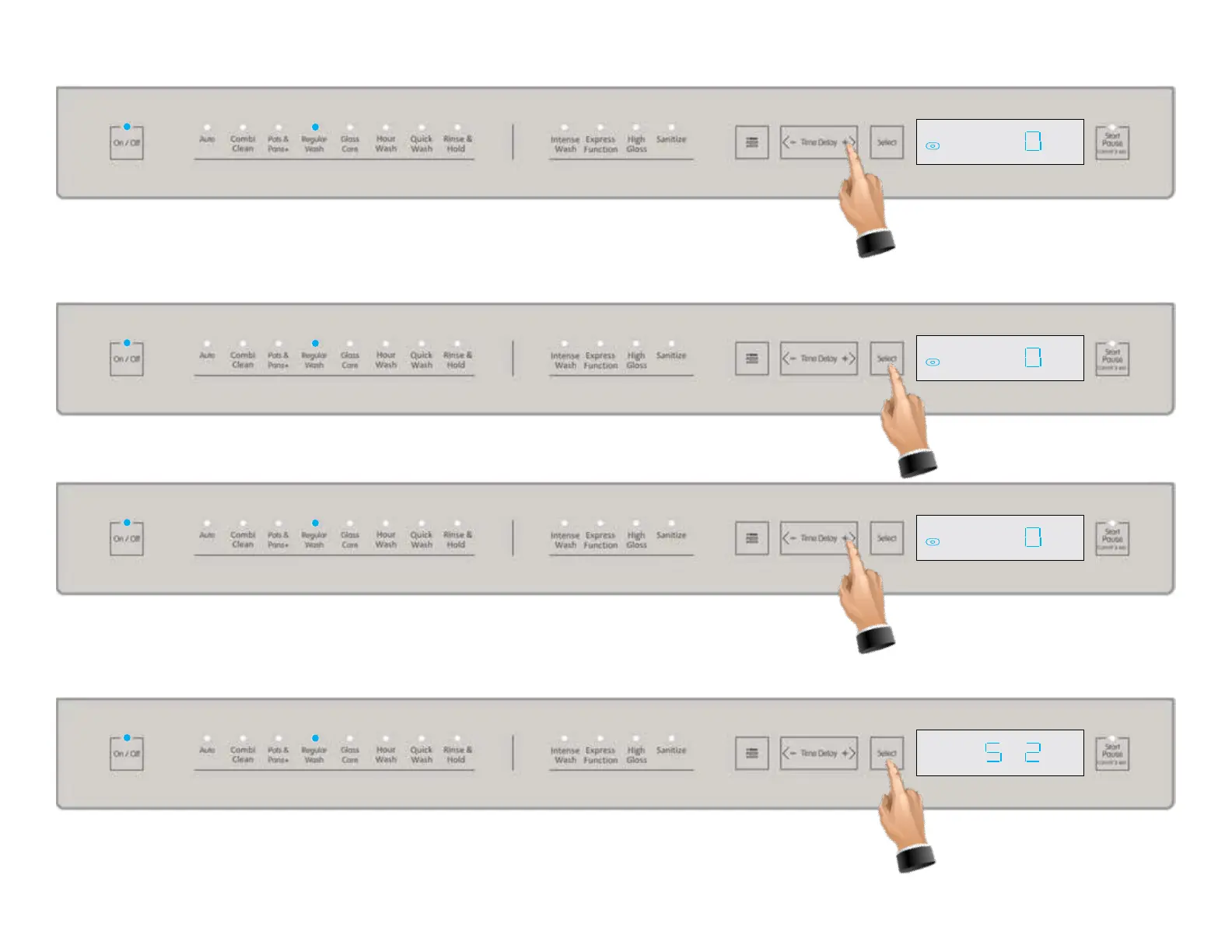
This setting is the Auto Tablet Detector function in the settings menu and results in the icon
illuminating as shown above. Press the Select tab to change the current setting. 0 = OFF
1 = ON.
Press the time delay + tab again to go to the next item in the settings menu, Sound level,
see below.
Press the Select tab to change the current setting. 0 = Silent 1 = Low 2 = High (factory de-
fault).









 To Next Page