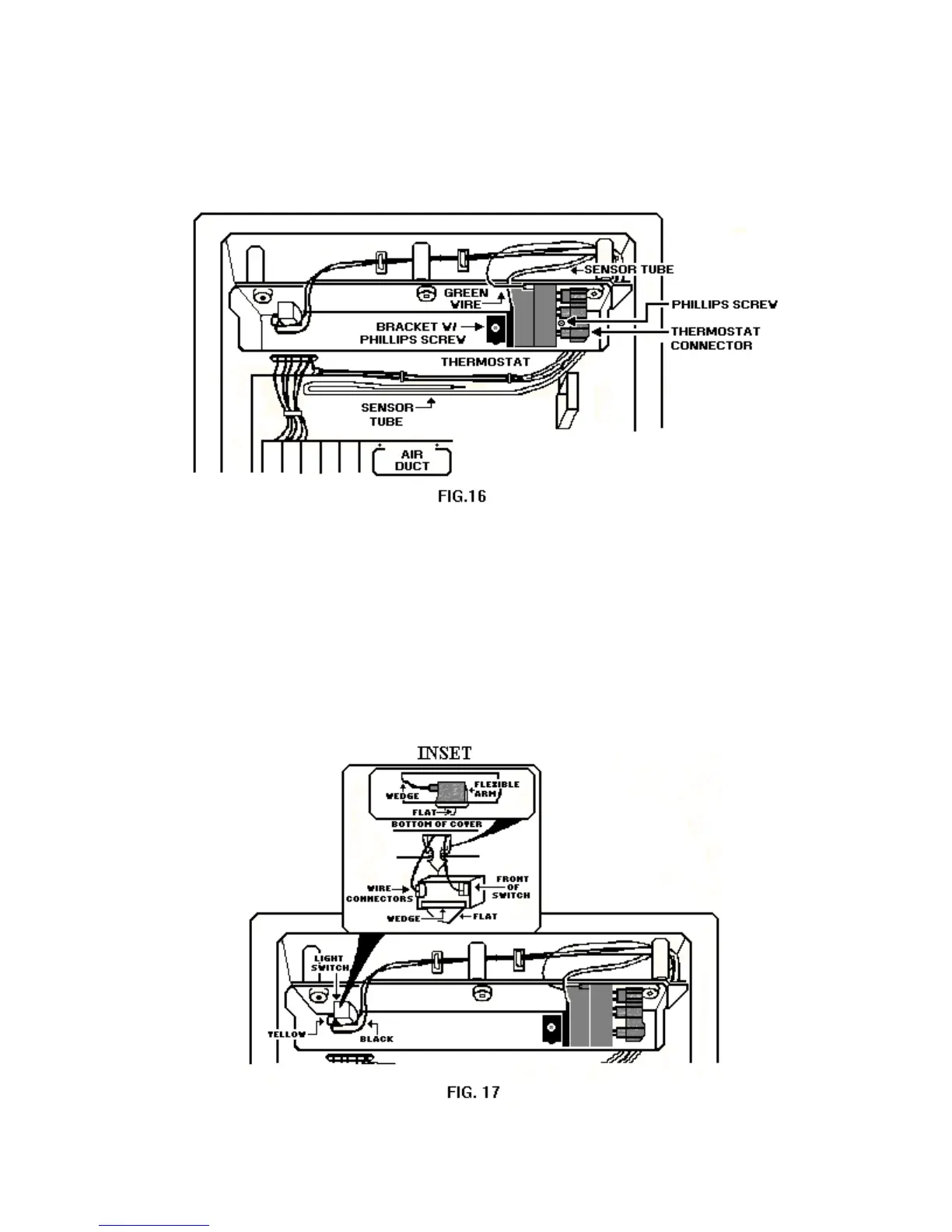
6. Remove the three plastic caps that cover the Phillips securing the control box cover to the top of
the freezer and remove the screws.
7. Rotate the control box cover so it can be worked on. Once the control box cover is in this
position the light switch and thermostat can be serviced.
1. Pull the green ground wire connector from the thermostat ground terminal.
2. Pull the wire connector from the three thermostat terminals.
3. Remove the two Phillips screws securing the thermostat bracket to the control box cover.
4. Carefully remove the thermostat and the freezer sensor tube from the freezer compartment.
Removing the Light Switch
18



 To Next Page