10
G
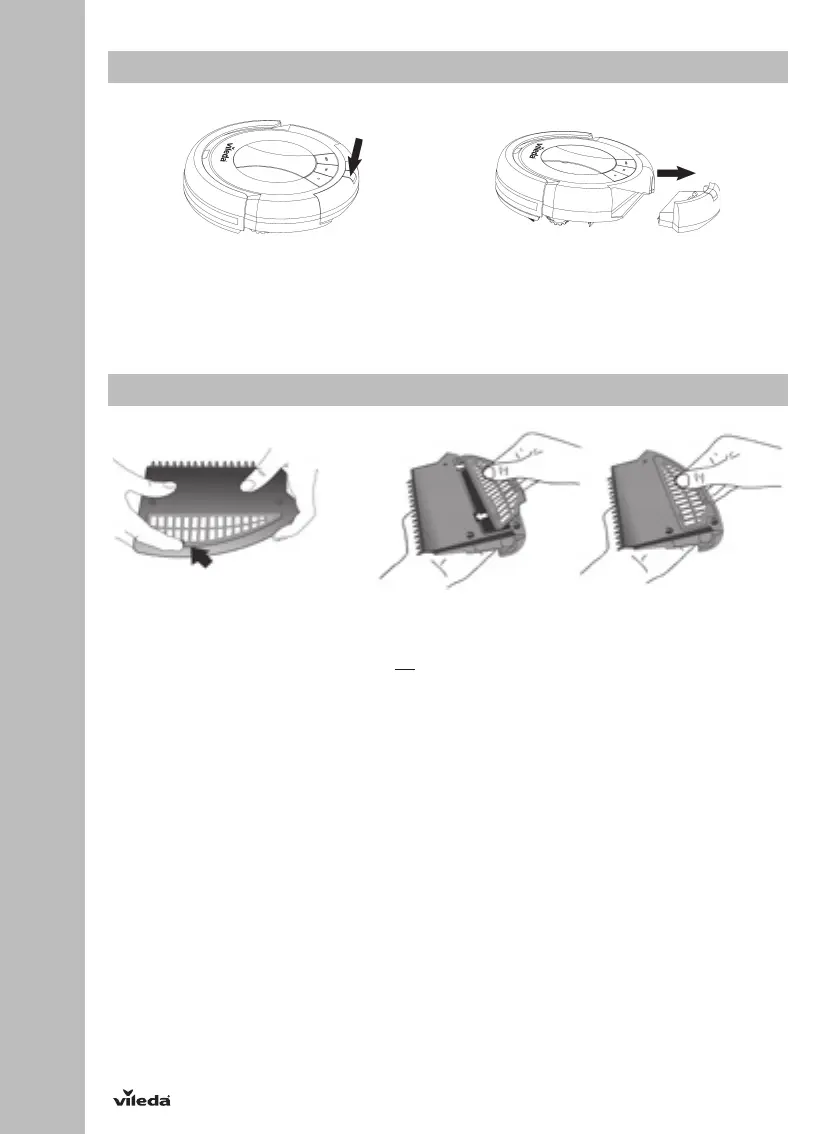
Removing and Emptying the Dust Bin
1. Turn off the power switch.
2. Press down the dustbin release button and pull out the dustbin as indicated in the illustrations.
3. Empty the dustbin in the trashcan.
4. Reinsert the dustbin and push until you hear a clicking sound.
Cleaning Dust Bin and Filter
1. Turn the dustbin upside down.
2. Press bottom slightly and take filter mesh out as indicated in the illustrations.
3. Clear the dirt off the filter mesh. Clean with a dry cloth only.
4. Reinsert the filter mesh back to the dustbin.
5. Press slightly until it clips.
6. Reinsert the dustbin in the robot.
To buy new filters, please contact Vileda service address (see last page).


 To Next Page