34
Vincent
스
CONNECTIONS FOR THE STANDBY CONTROL (POWER CONTROL)
두
기
단
3.5m
미
케
연
. 이
기
원
않
이
기
지
기
사
경
, 그
연
않
됩
. 본
2개
P
C
단
구
있
. 본
다
기
연
되
, 만
2개
이
기
콘
할
때
같
방
무
연
가
. 순
체
구
어
한
기
전
끄
, 연
모
기
전
동
켜
수
있
. (아
그
참
)
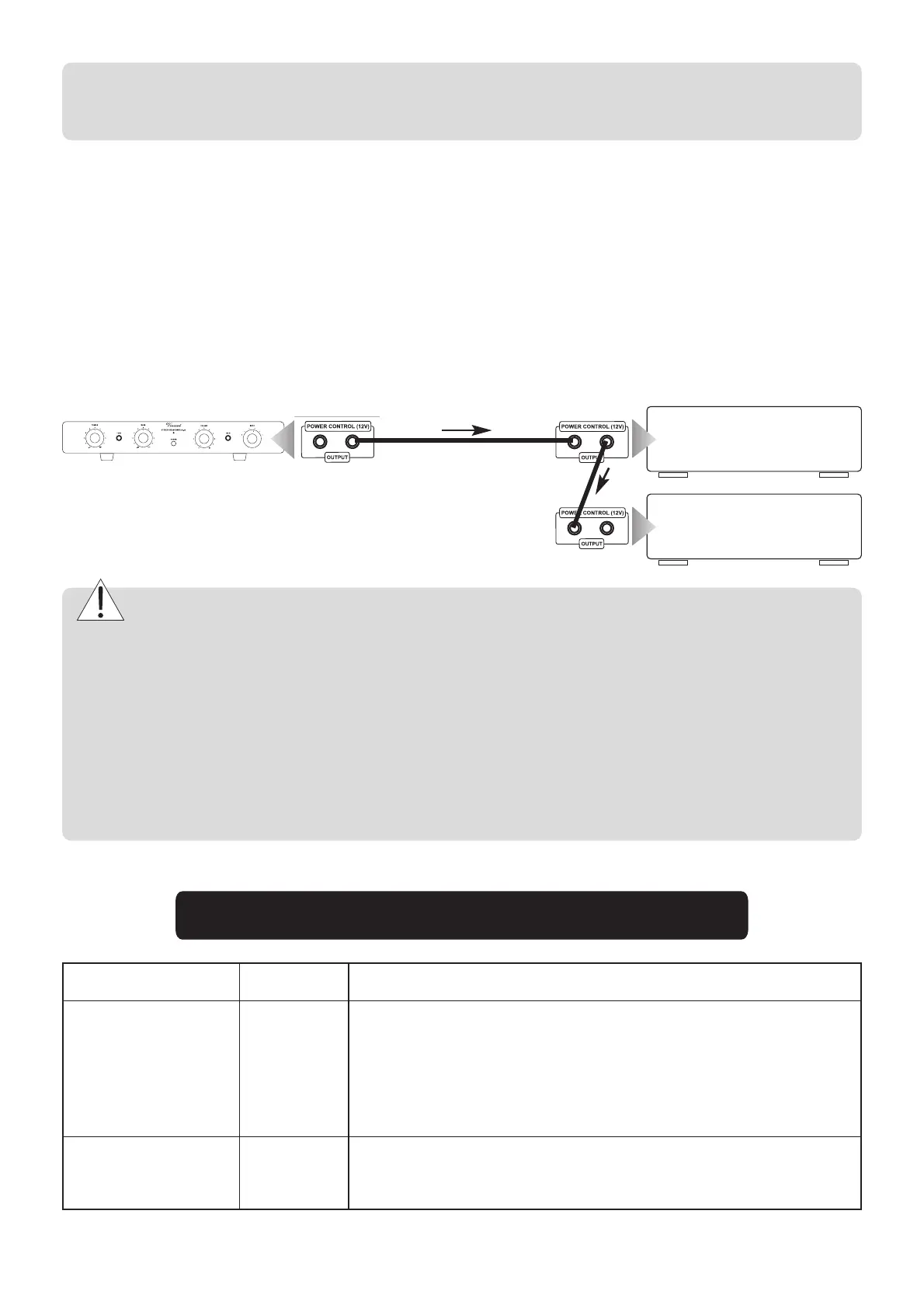
The SA-32 is equipped with two output connectors for the power control. Here, the switching signal generated by the SA-32 is
available for other components of the system. Two HiFi components can be connected directly to the amplifier's power control
outputs. If more than two devices, which can be controlled, are to be connected, then it is necessary to make the power
control connection between the amplifier and these further devices through the outputs of the two devices which are connected
directly. For that reason, every HiFi component that accepts power control signals is also equipped with a power control output.
Thus, in theory it is possible to provide an infinite number of HiFi components with the power control signal.
S1
S2
S3
S4
S5
S6
SA-32
main amplifier
e.g. SP-T700
second main amplifier
e.g. second SP-T700
power control cable
Attention:
갖
기
두
입
단
있
I
O
표
안
경
어
것
연
. 단,
기기 간에 In과 Out socket을 상호 연결하면 안됩니다.(즉, 발
신기기와 수신기기가 구분되어야 합니다). 또
, 수
기
1개
이
부
부
터 2중으로 콘트롤 신호를 받으면 안됩니다.
Many devices which can be controlled by aswitching signal (not preamplifiers or integrated ampli-fiers), have two
terminals which do not differentiatebetween input and output. In this case either of the two can be selected. “POWER
CONTROL” sockets of preamplifiers or integrated amplifiers must not be interconnected! Allreceiving devices must
not be connected to more than one preamplifier or integrated amplifier (directly orindirectly)!
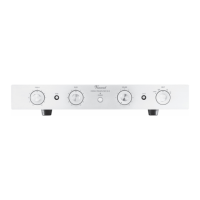
POWER (4)
Select an input
INPUT (8)
이라 표기된 노브를 좌우로 회전하여 후면에 연결
된 입력을 선택할 수 있습니다.
본격
OPERATING THE APPLIANCE
Operation
Button
Description
전면의 파워 버튼으로 켜고 끕니다. 안전을 위하여 스위치를
켜기 전에 볼륨을 최저로 낮추십시오. 끄면 전원이 차단되며
스탠바이 기능이 없습니다.
The preamplifier is switched on and off
using this button at the front panel. It has no standby option. When switched off the
device is internally separated from the AC power. As a precaution, after switching
on, the volume setting should be reduced.
Switch on and off


 To Next Page