12
苏州万佳电器有限公司
Suzhou wanjia Electric Co.,Ltd.
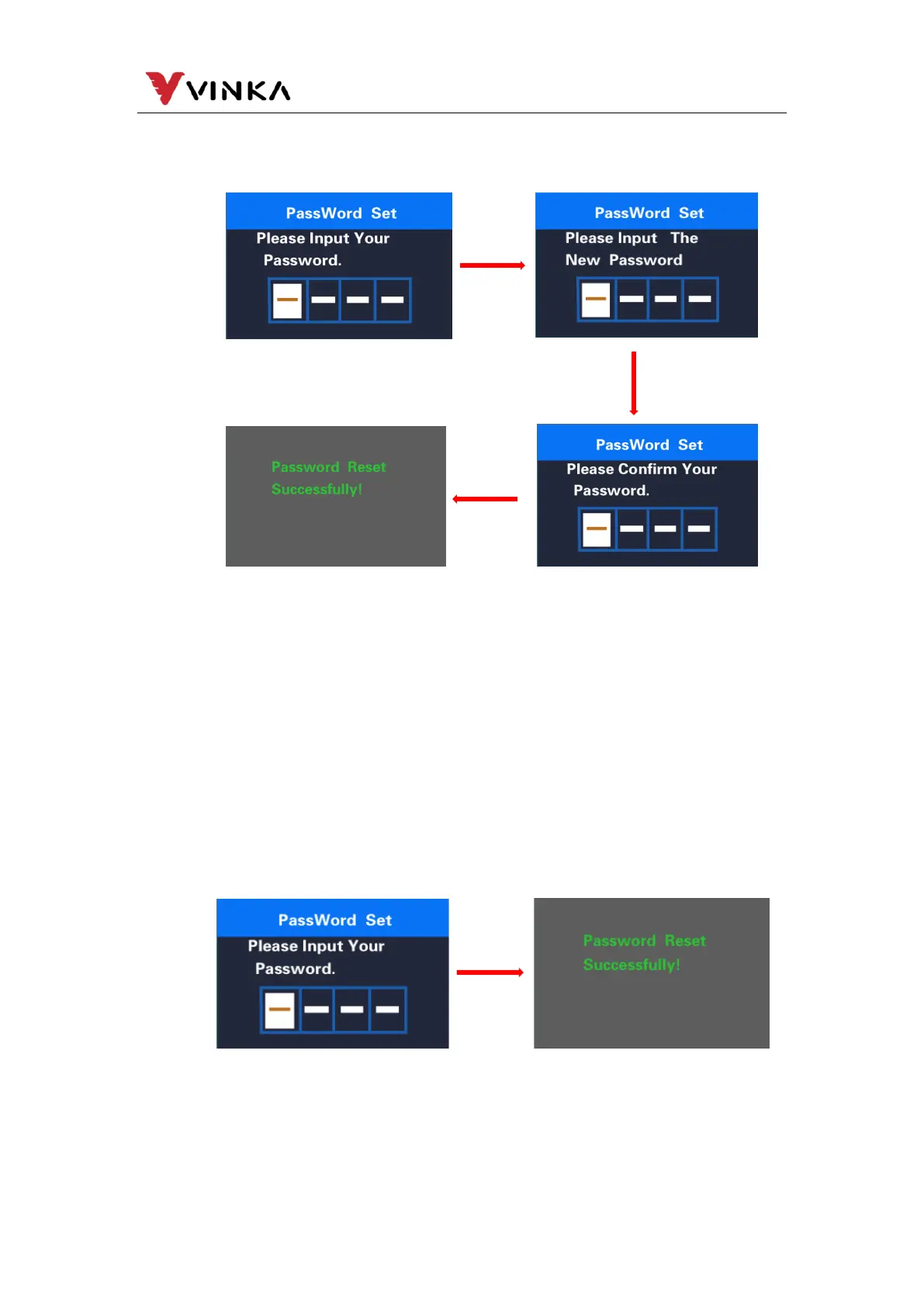
interface. Long press the MODE button (>1S) to exit to the main interface or press
BACK →EXIT exits to the main interface. The operation steps are as follows.
In the Start Password interface, select OFF and short press the MODE button
to confirm. At this time, the interface prompts to enter a password. The meter will
automatically shut down after 10 times of incorrect password input. After the
password is entered correctly, the interface prompts that the password function is
closed successfully, and the interface automatically jumps after 1S. Go to the original
setting interface. Long press the MODE button to exit to the main interface or exit to
the main interface via BACK→EXIT. The operation steps are as follows.
If there is no operation within one minute, the meter will
automatically exit the setting state
Password modification interface
Password closed interface



 To Next Page