12
Getting started
Device layout
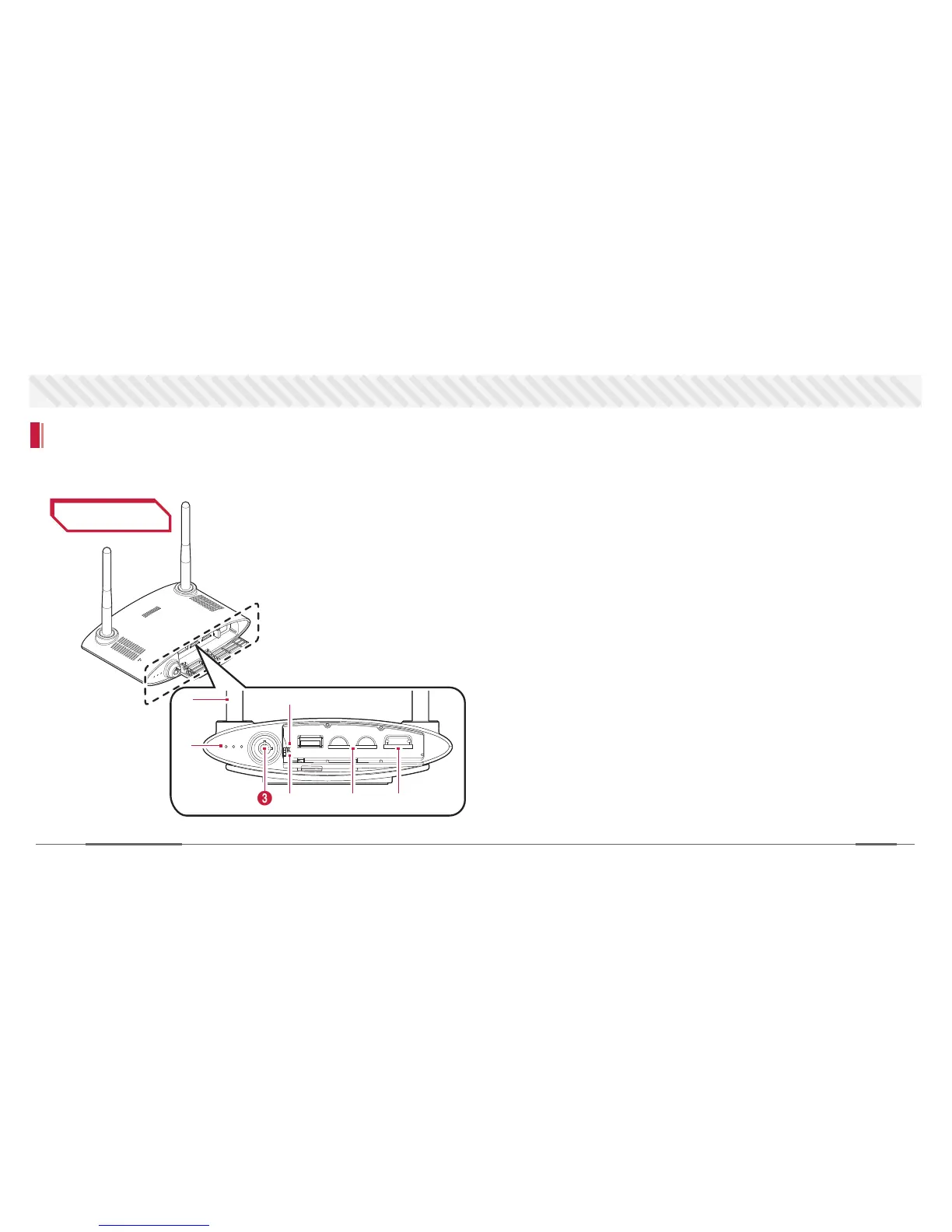
Learning the name of the parts will assist you when you install the device and check how to use it.
Front View
1 Antenna : Double helical antenna for network connection
2 LED light signal : RED - device on/off,
GREEN - cam is recording,
BLUE - connected to network
3 This lock needs a key to get access to the data
4 R : Reset Pinhole
5 P : Power off Pinhole (Only works when using internal battery)
6 Double SD card slots : 128GB of data can be stored
7 Sim card slot : data are sent via 3G/4G network
1
2
3 6 75
4


 To Next Page