52
]
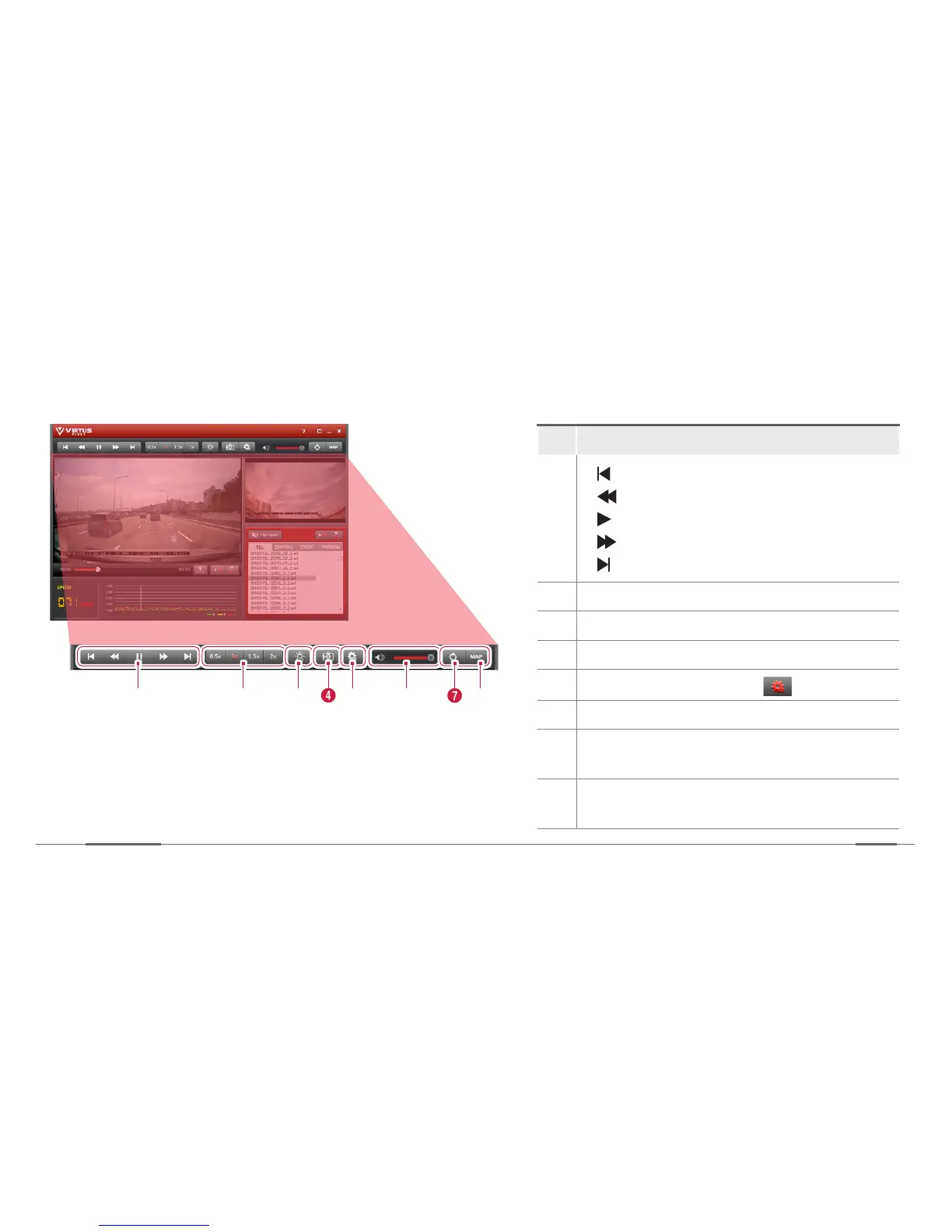
Control panel description
No. Description
1
[ ]: Skips to the previous.
[ ]: Moves fast backward.
[ ]: Pauses or resumes playback.
[ ]: Moves fast forward.
[ ]: Skips to the next video.
2
Controls the playback speed.
3
Adjusts the brightness of the image.
4
Captures the current image.
5
Change the Device Setting.
6
Adjusts the volume.
7
Changes the main screen to the sub screen
and vice versa.
8
Shows the map of the recorded place (when
recorded with the GPS connected).
1 2 3 4 65 7 8


 To Next Page