29
Installing the E-call kit
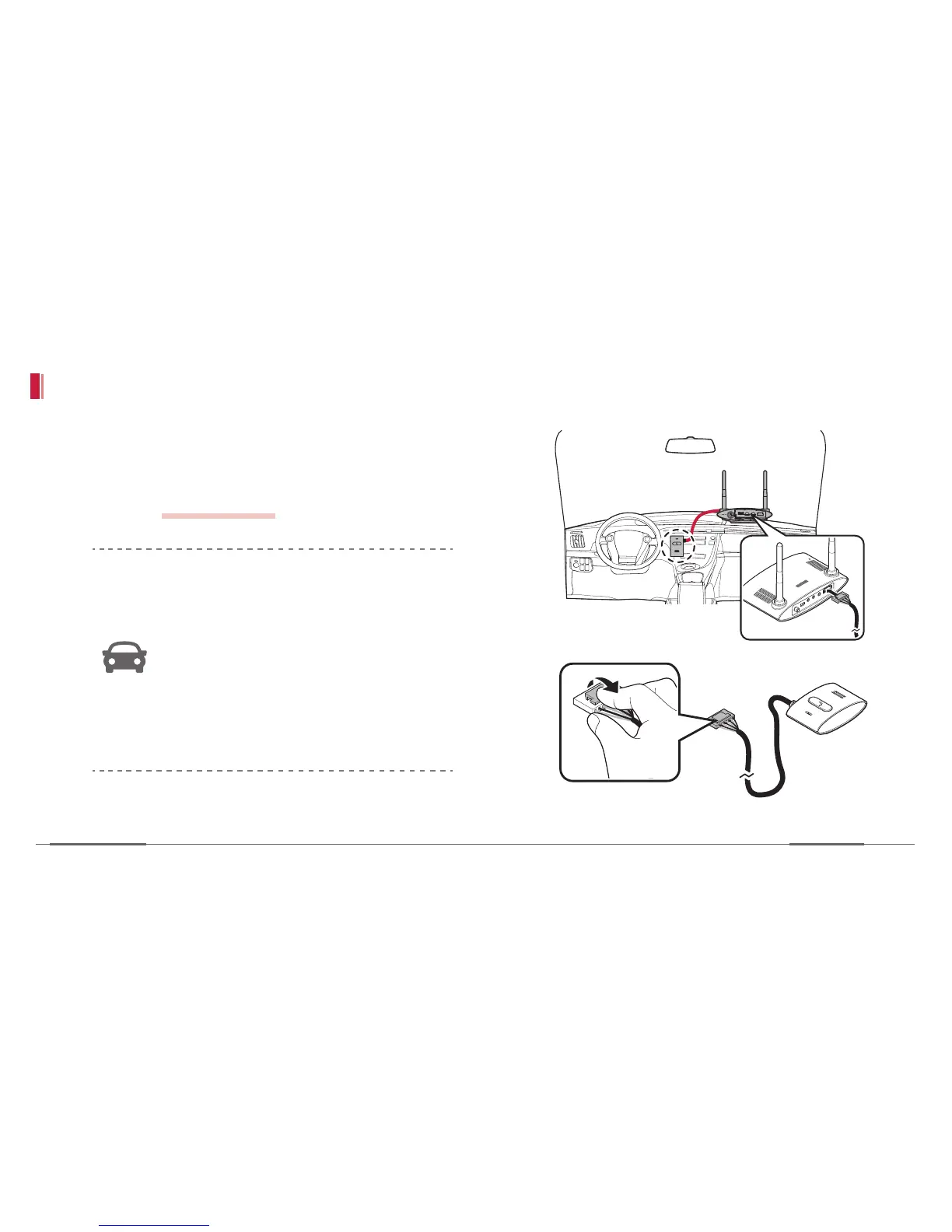
1. Connect the cable of the Emergency button. If
pressed with the power on, you can make a call
with an operator. Type in the destination phone
number.
refer to pg 56 ~ 57
For installation of the Emergency button,
be sure to note the following:
• Keep a distance of 30 cm from driver
so that he can easily touch it.
• Install the Emergency button to face it
towards the driver.
• Remove the cable from the device
while pressing the clip on its head.


 To Next Page