30
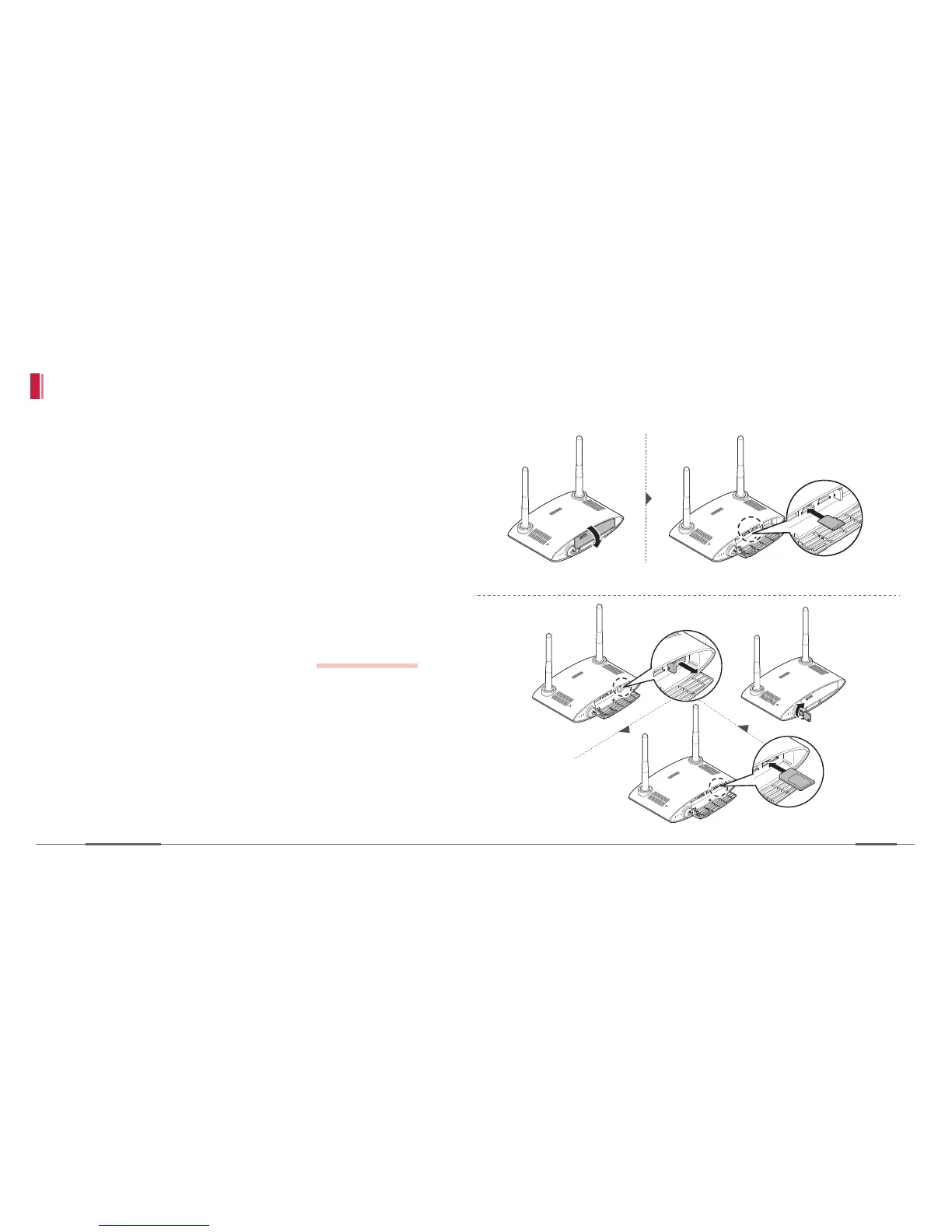
Mount the SD cards and USIM card
1. Open the cover of the front panel and insert the
SD card into the first SD card slot.
2. Insert the USIM card. To enable the network
connection, type in the APN information from the
viewer program before hand.
refer to pg 54-57
3. Lock the cover with the provided key.


 To Next Page