18
]
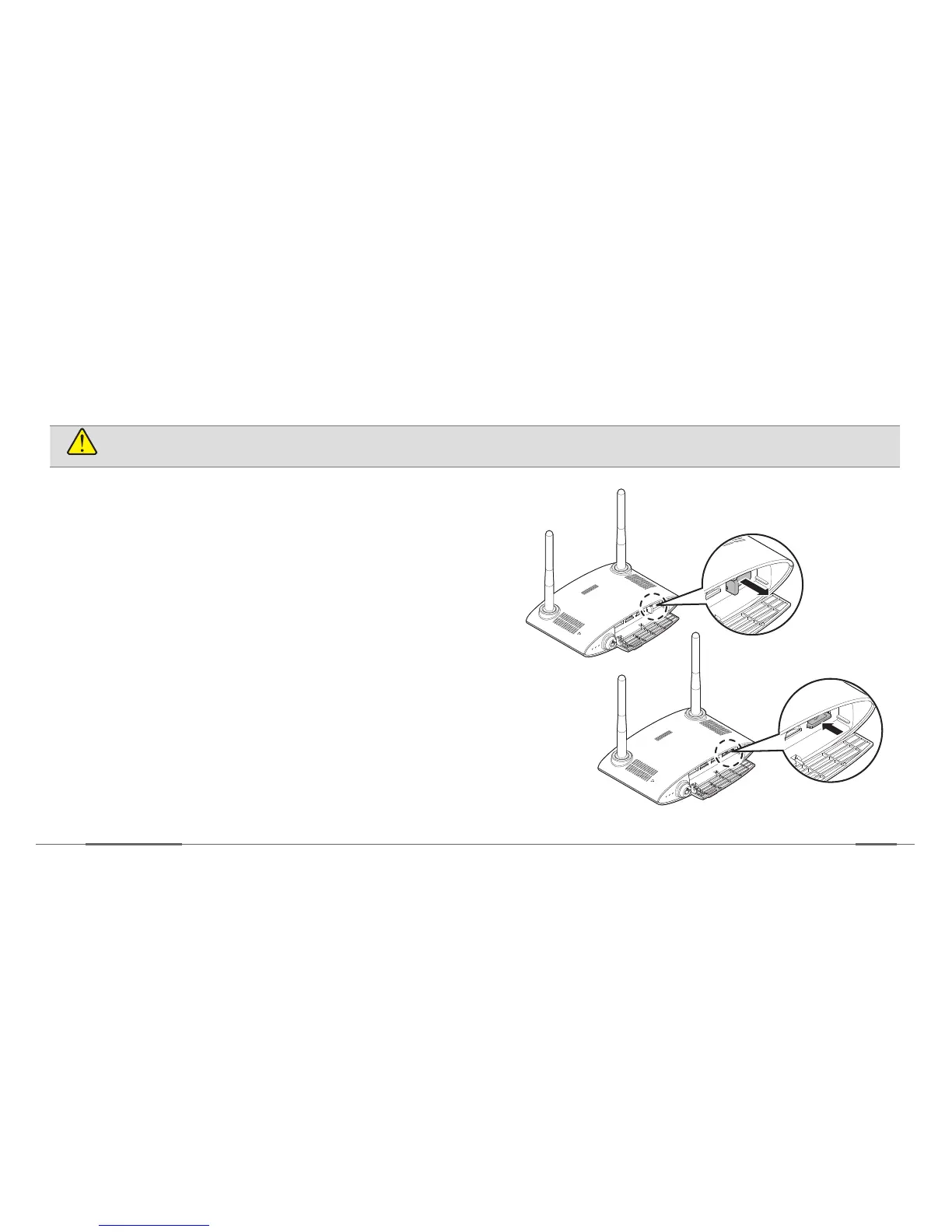
Remove the USIM card
CAUTION
Be careful not to damage your fingernails when you open the card slot.
1. Open the cover of the USIM card slot.
2. Push the top edge of the USIM card inwards to
release it, and pull it out of the slot.
»
Make sure that the USIM card doesn’t pop out while
trying to remove it.
3. Close the cover of the USIM card slot.


 To Next Page