31
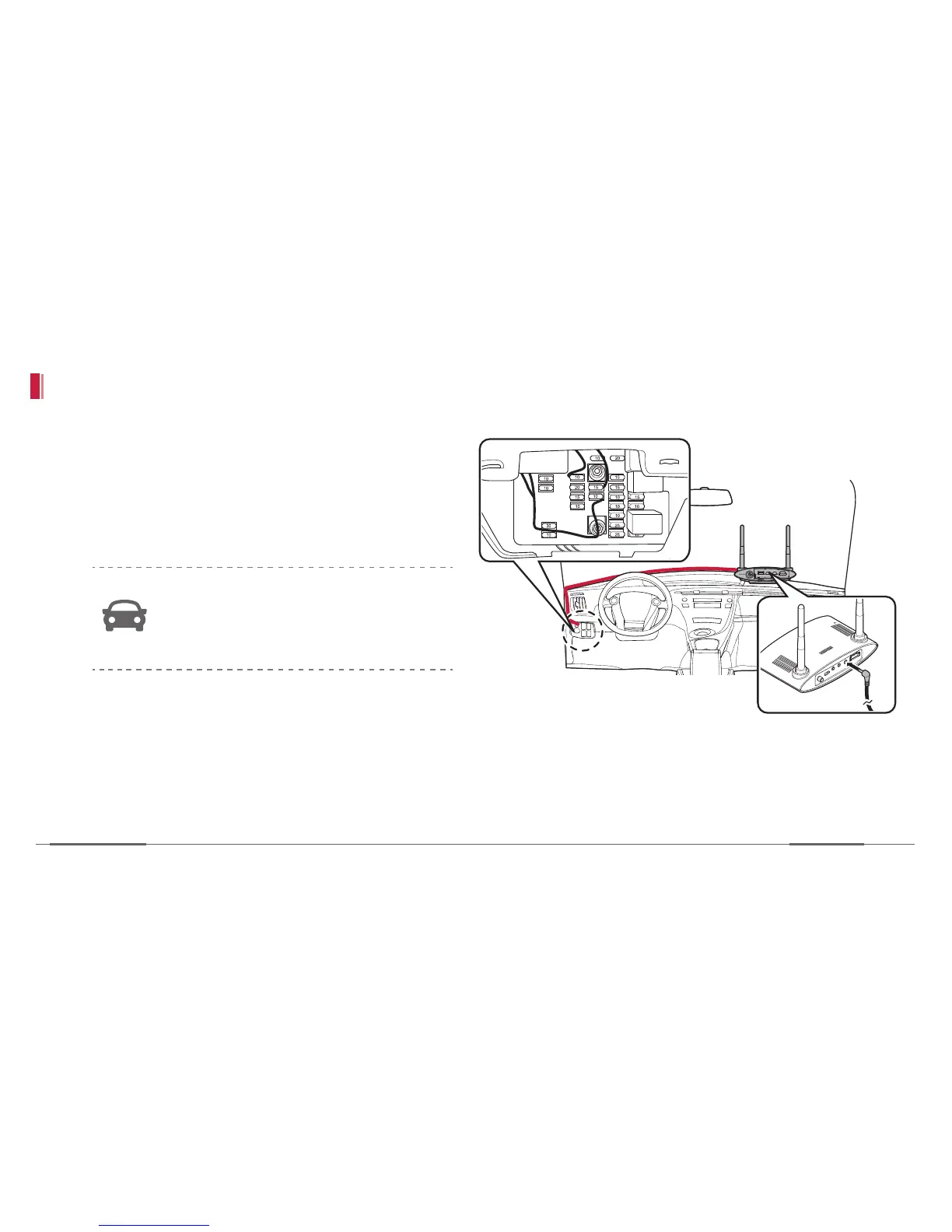
Connect constant power cable
1. Plug the constant power cable into the fuse box
(ACC, B+, and Ground) and connect it to the
device. When the device is turned on, the power
lamp lights red on the front panel. Then tidy up
the cable.
The power connection method to the
fuse box may differ depending on the car
maker so see the car maker’s website or
contact a mechanic
2. Start the engine and check if the device works
properly by seeing the status lights of device;
red, green and blue, are all turned on.
1
2


 To Next Page