Send Message
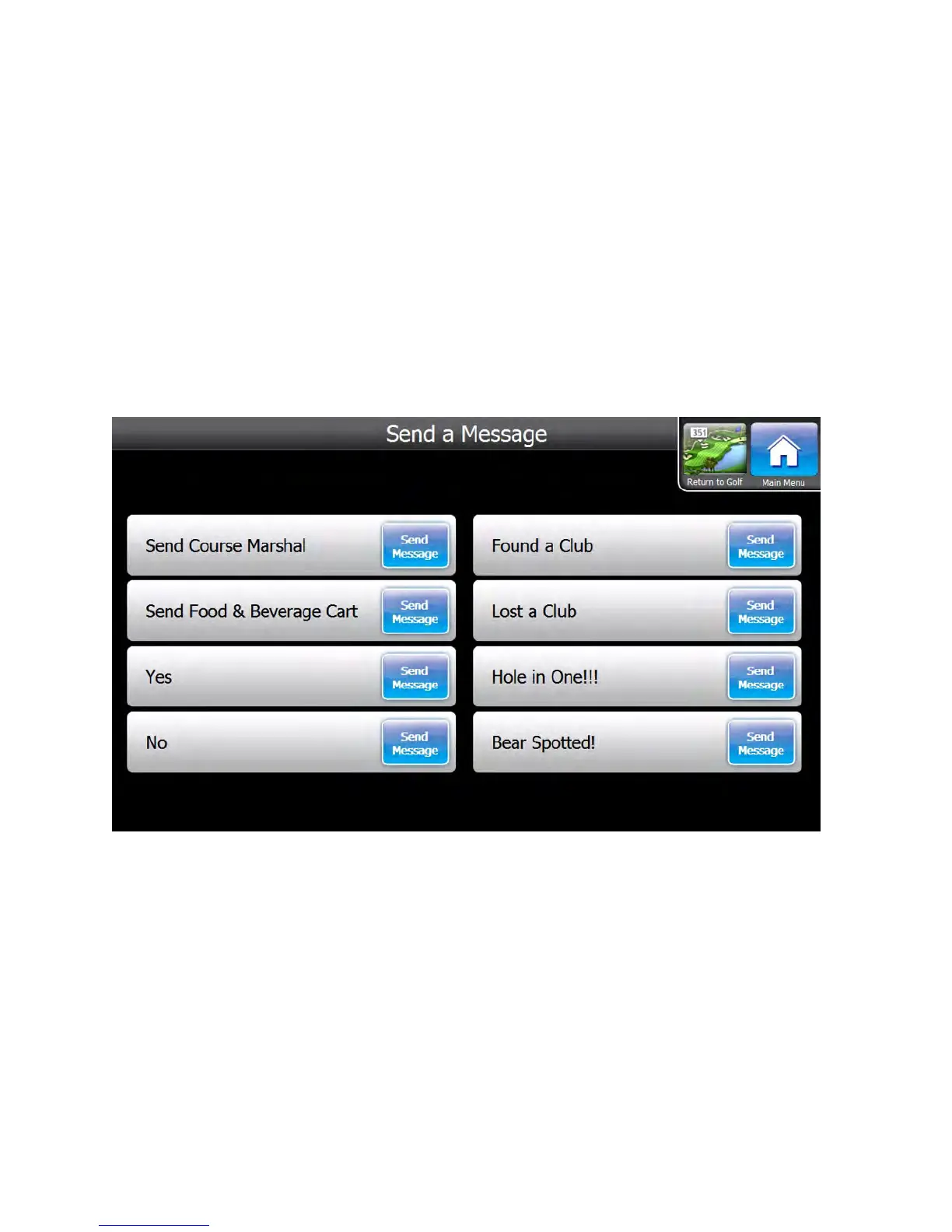
The Visage VDU allows golfers to send messages back to the base. To send a message, first go to the Main Menu, then
press the Send Message button. On the Send Message screen, touch the message you wish to send.
After the message is sent successfully, golfers will see a confirmation message. If the message could not be sent, golfers
will be notified that the message was not sent. The confirmation message will disappear after several seconds, and the
VDU will return to the Golf Map screen.
GPS Industries, LLC
Visage VDU User Manual! 11


 To Next Page