Cantorum Trio – Duo Plus
Reference Manual
Keyboards settings (Setup / Keyboards menu)
KEYBOARDS SETTINGS (SETUP / KEYBOARDS menu)
The KEYBOARDS menu contains all the settings relating to the manuals and their
function modes.
To access to this menu, in the main video page,
1. press the [MENU/ENTER] button,
2. place the cursor on the SETUP field and press [MENU/ENTER],
3. place the cursor on the KEYBOARDS field and press [MENU/ENTER].
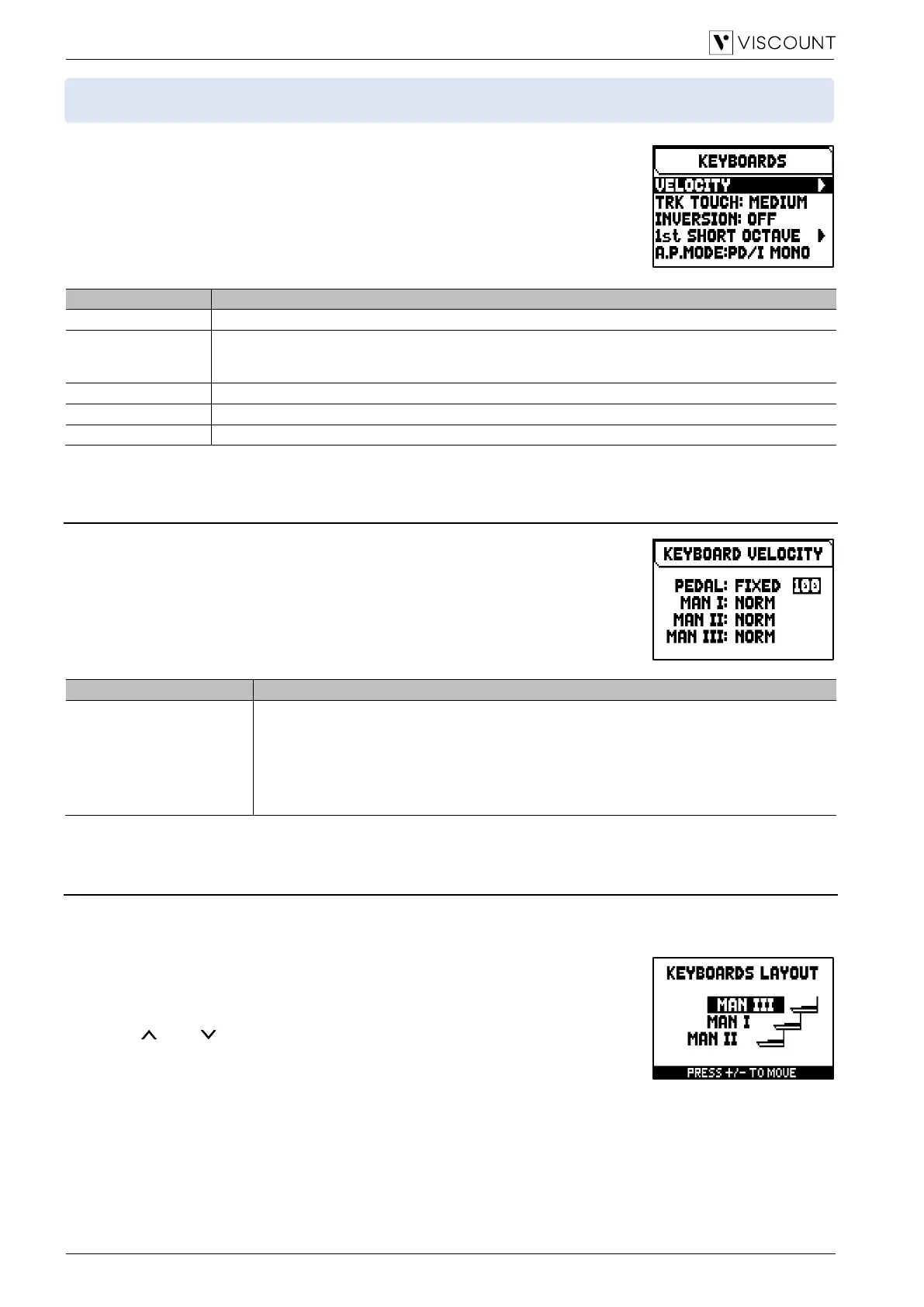
The KEYBOARDS menu contains the following settings:
Settings of manuals and pedalboard keys velocity.
Trk Touch
(Tracker Touch)
Simulates the typical tracker touch of mechanical organs that affects the attack time and the sound
character in this phase, with four selectable degrees of sensibility.
Settings: No, Simple, Light, Medium, Heavy
Enable/disable of the Keyboards Inversion function.
Enable/disable and configuration of the Short Octave for each manual and pedalboard.
Selection of the [AUTO PED] thumb piston operating mode.
Setting the keyboards / pedalboard velocity (VELOCITY function)
This function sets, for each manual and pedalboard, the velocity of the notes which
influences the attack time of the liturgical voices, the volume of the Orchestra
voices and the velocity value of the notes transmitted through the MIDI port [OUT].
To access the adjustment screen, select the VELOCITY field in the KEYBOARDS
menu.
The settings which can be made are:
Keyboards / pedalboards velocity.
Settings: Soft-Normal-Hard (dynamic curves), Fixed (from 1 to 127)
NOTES
- By selecting the Fixed setting it is possible to raise the attack point at which the note begins
to play, but with a consequent loss of sensitivity to the velocity impressed on the keys.
- Soft, Normal and Hard curves are not available for the Pedal section.
Configuring of the Keyboards Inversion function (INVERSION function)
This function allow to invert the manuals, so that the stops of one section play on a selected manual.
To activate the inversion, in the KEYBOARDS menu select “ON” in the INVERSION field.
In the Cantorum Trio Plus model, the Inversion can be configured. To do this,
place the cursor on the INVERSION field and press [MENU/ENTER].
The display shows graphically the organ manuals with, next to them, the
corresponding organ section when the Keyboards Inversion function is active.
Using the [ ] and [ ] buttons it is possible to move the cursor and position it in
correspondence with the manual to be associated with the section, using the [+]
and [-] buttons.



 To Next Page