SWITCHING ON AND MAIN VIDEO PAGE
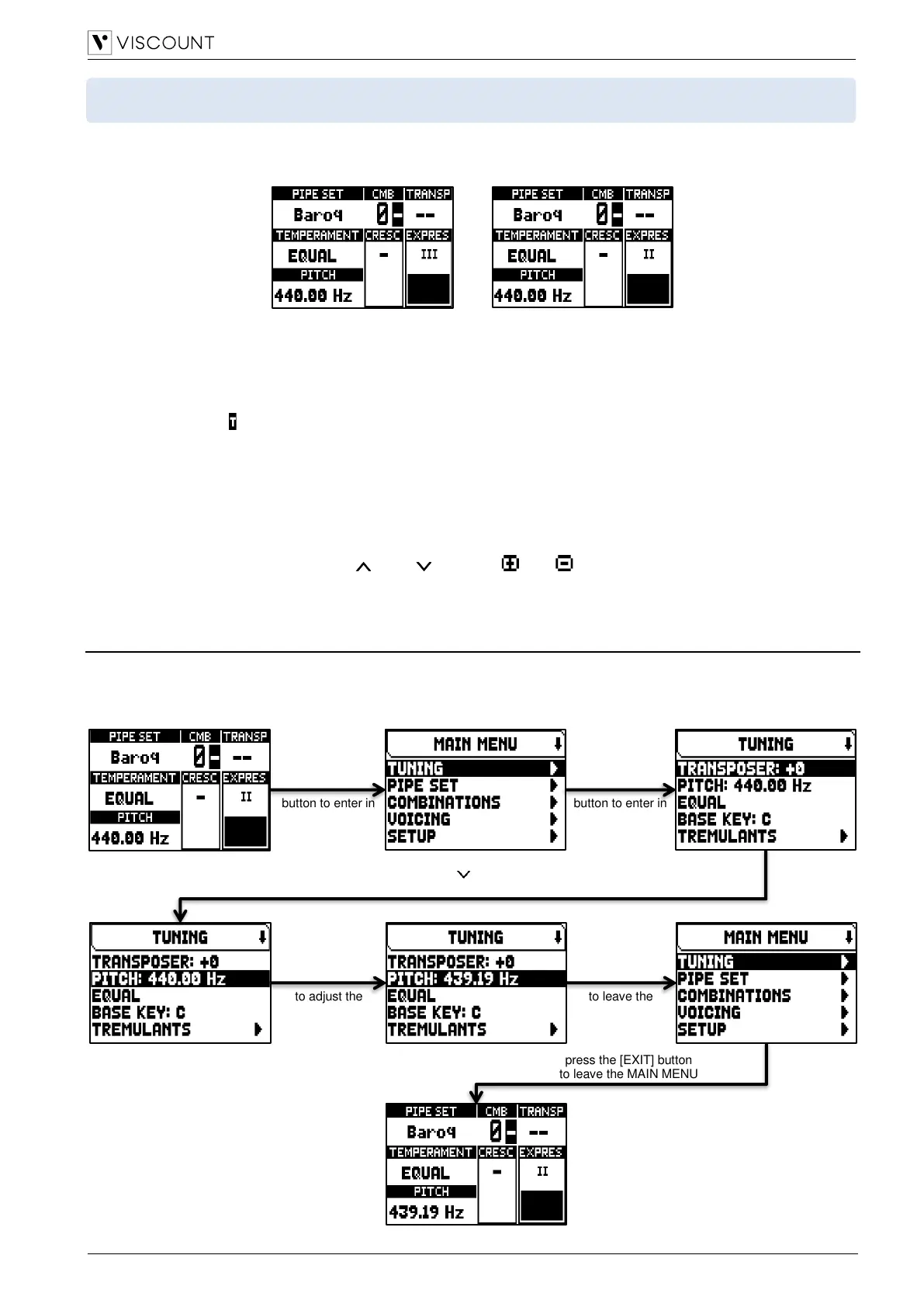
After turning on the instrument, the display shows the Physis Plus logo video page and, once ready, the main
video page:
containing the following display field:
▪ PIPE SET: Pipe Set currently in use (page 11).
▪ CMB: selected combination. The first one (for memory banks from n.0 to n.9) or two (for memory banks from
n.10 to n.99) numbers indicate the memory bank, the second or third number (in reverse) indicates the
selected general combination as showed by the illuminated general combination thumb piston. Tutti is
indicated by the symbol.
▪ TRANSP: transposition set in TUNING (page 16).
▪ TEMPERAMENT: temperament currently in use, selected in TUNING (page 16).
▪ PITCH: instrument’s tuning, expressed as the frequency of A4, set in TUNING (page 16).
▪ CRESC: currently selected Crescendo step.
▪ EXPRES: expressions levels in according to the expression pedals position.
When the main page is displayed, [+] and [-] buttons can be used to adjust one of these parameters. To select
which parameter is adjusted, use the [ ] and [ ] buttons, and symbols are displayed in the field of the
adjusted parameter.
How to navigate in the menus
Here a simple explanation how to display a specific video page, regulate a parameter and come back to the main
video page. Bear in mind this procedure to reach all the parameters described in this Reference Manual.
Example: you have to regulate the general pitch at 439,19 Hz:



 To Next Page