Controlling the access to the organ settings (LOCK ORGAN function)
When necessary, organ settings can be locked, so that only authorized users can access them. The LOCK
ORGAN function is designed just for this purpose. When active, combinations, Tutti, Crescendo steps, and/or
organ settings, cannot be modified. The Record function of the sequencer can also be locked, so that recorded
songs cannot be edited.
To recall this function, follow this procedure:
1. in the main video page press the [MENU/ENTER] button,
2. select the UTILITY field,
3. select the LOCK ORGAN field,
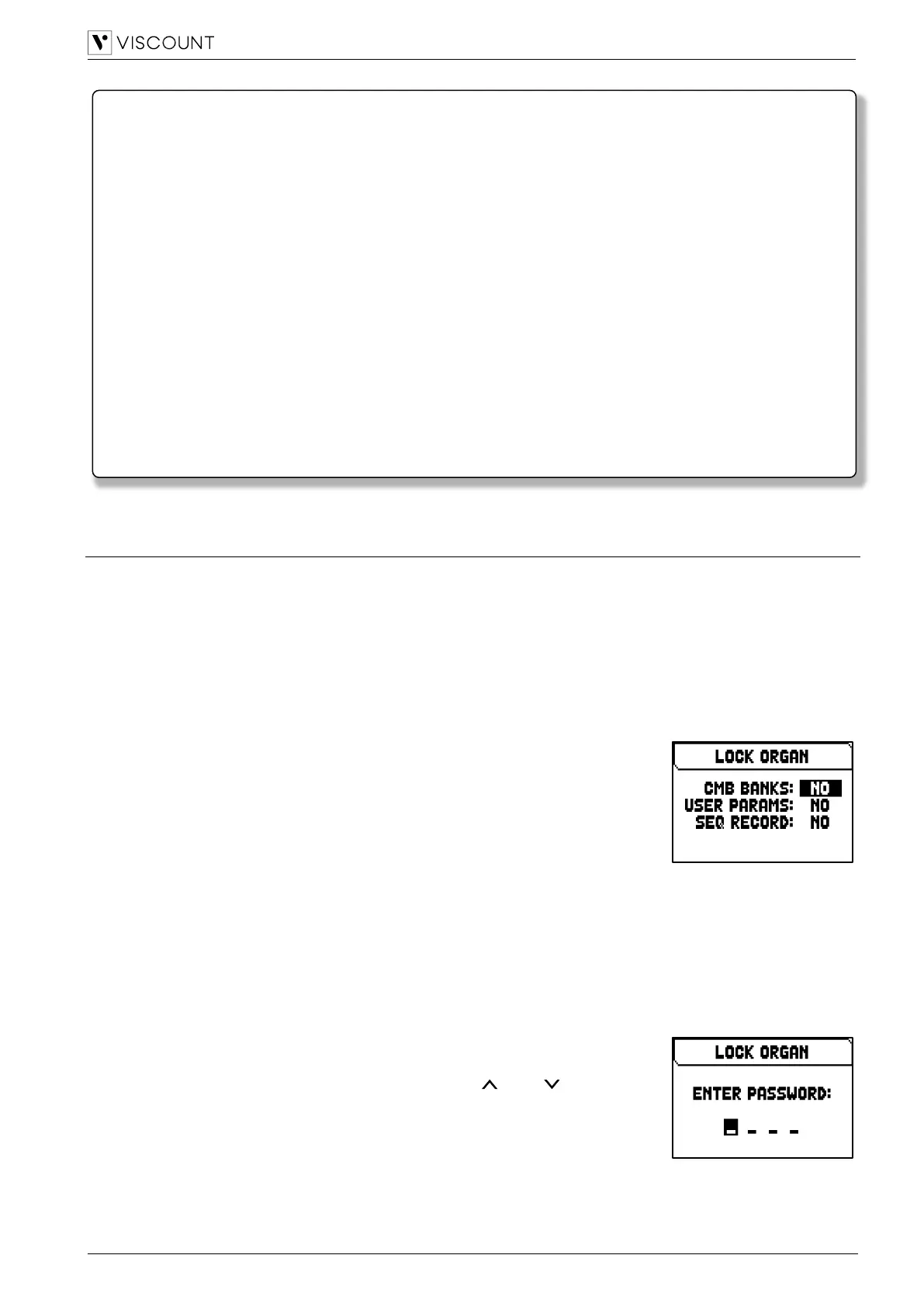
4. select which sections will be locked:
- Cmb Banks:
• locking the modification of all the combinations of the first memory
bank (selecting 1st) or of all the banks (selecting Yes), Tutti, and
Crescendo.
• locking of Import of combinations file.
• locking of combinations settings and loading of combinations from a
Snapshot.
- User Paramars:
• locking of Copy/Rename/Restore Default of Pipe Sets
• locking of Voicing
• locking of Keyboards settings (except Keyboards Inversion)
• locking of Controls settings (excpet ENC Config and Master/Reverb Volume pot. Link)
• locking of Audio settings (excpet Reverb Dry/Wet Mode)
• locking of MIDI settings (except setting of Program Change in Combinations)
• locking of Load Snapshots (except Only Combinations)
• locking of Factory Reset and Restore Default Settings
• locking of Utility functions (except LCD Contrast).
- Seq Record: locks the sequencer’s Record function.
5. press [MENU/ENTER] to set a password. Use the [ ] and [ ] buttons to
move the cursor, [+] and [-] to select the character.
6. press [MENU/ENTER] to save the code or [EXIT] to abort.
To unlock the organ, select the UNLOCK ORGAN field in the UTILITY menu and
set the right password using the buttons described above. If the password is
correct, the message “ORGAN ULOCKED” will be displayed.
Pay attention when copying the .PHX file in your USB flash drive. The file must always be placed in the
main directory of the drive and not inside any other folder (the address of the main directory usually
appears as D:\ or F:\, not D:\Peter or F:\v_songs; “Peter” and “v_songs” are subfolders and .PHX file
should not be saved inside these). If the file is not placed correctly, the instrument will not recognize it



 To Next Page