5. [VOLUME] slider: controls the overall volume of the organ.
6. [REVERB] slider: controls the amount of reverberation effect.
7. Control and programming section: the buttons and the display in this section allow the user to program
and set up the instrument and use the internal sequencer. The buttons to visualize and navigate through all
the display screens are located near the display and are:
- [SONG]: access the video pages of the internal sequencer.
- [LEVELS]: access the video page for all the volume settings available in the instruments.
- [ ] and [ ]: buttons used to move the cursor, identified by the field in reverse. [ ] moves it in the field
above or the previous field, [ ] in the field below or the next field.
- [+] and [-]: buttons which regulate the values of the parameters, whether they are numerical or
alphanumerical. [+] increases, [-] decreases.
- [EXIT] and [MENU/ENTER]: access and quit the display screens and menus, or confirm or cancel
prompts made by the system. [MENU/ENTER] accesses menus/screens and confirms, [EXIT] quits
menus/screens and cancels. If it is held pressed for a while, the main screen is immediately displayed,
regardless of the current menu level
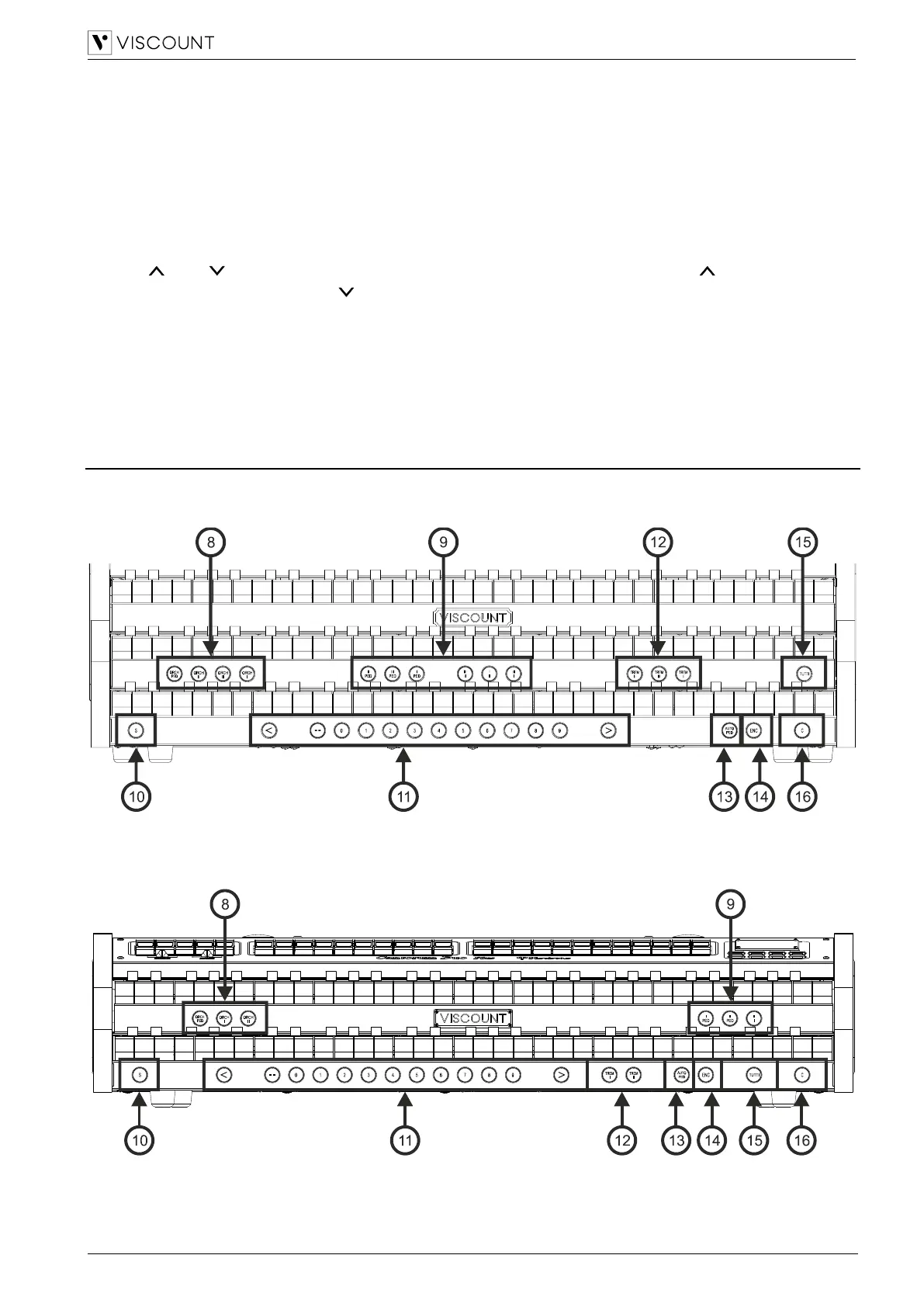
Thumb pistons
Cantorum Trio Plus
Cantorum Duo Plus



 To Next Page