Cantorum Trio – Duo Plus
Reference Manual
Organ controls settings (Setup / Controls menu)
ORGAN CONTROLS SETTINGS (SETUP / CONTROLS menu)
The CONTROLS menu contains all the settings relating to the controls available
in the organ console.
To access to this menu, in the main video page,
1. press the [MENU/ENTER] button,
2. place the cursor on the SETUP field and press [MENU/ENTER],
3. place the cursor on the CONTROLS field and press [MENU/ENTER].
The CONTROLS menu contains the following settings:
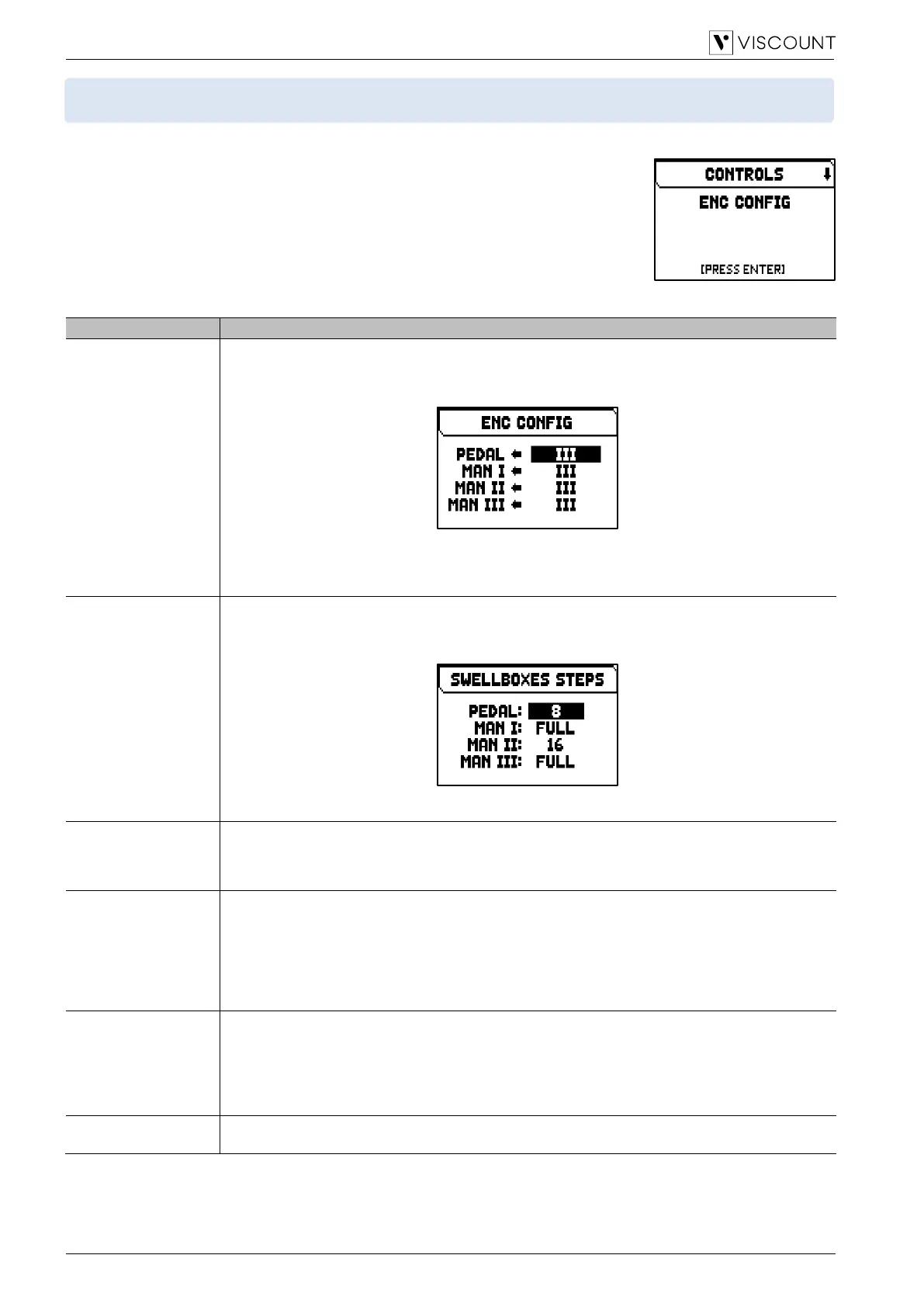
Select the expression pedal that regulates the volume of each section while the [ENC] piston is
on.
To access the adjustment screen, press [MENU/ENTER] while ENC CONFIG field is displayed:
The organ sections can be found on the left side, while on the right the expression pedal can be
selected.
Settings: Free (no control), [organ division]
Number of swellbox steps for each organ division.
To access the adjustment screen, press [MENU/ENTER] while SWELLBOX STEPS field is
displayed:
Settings: 4, 8, 16, Full (continuous control)
[CRESCENDO] pedal operating mode.
Settings (Cantorum Trio Plus): On, Off, I Shoe, M.II/PD Shoe (Man.I or Man.II/Pedal expression
pedal)
Settings (Cantorum Duo Plus): On, Off, M.I/PD Shoe or (Man.I/Pedal expression pedal)
Link Master Volume
Pot. To
Which volume is controlled by the [VOLUME] potentiometer, placed on the front panel.
Settings:
• Int Gen Vol: internal amplification volume only.
• Int+Ext Vol: volume of both the internal amplification and of the signal of the PROG. OUT rear
outputs.
• Ext Vol: volume of the signal of the PROG. OUT rear outputs only.
• Nothing: no control
Link Reverb Volume
Pot. To
Which Reverb level is controlled by the [REVERB] potentiometer, placed on the front panel.
Settings:
• Int Reverb: internal Reverb level only.
• Int+Ext Rev: internal and external (on the PROG. OUT rear outputs) Reverb level.
• Ext Reverb: external (on the rear PROG. OUT outputs) Reverb level only.
• Nothing: no control.
Selection if coupler affects the orchestral voices.
Settings: No, Yes



 To Next Page