42
Viscount Chorum
User Manual
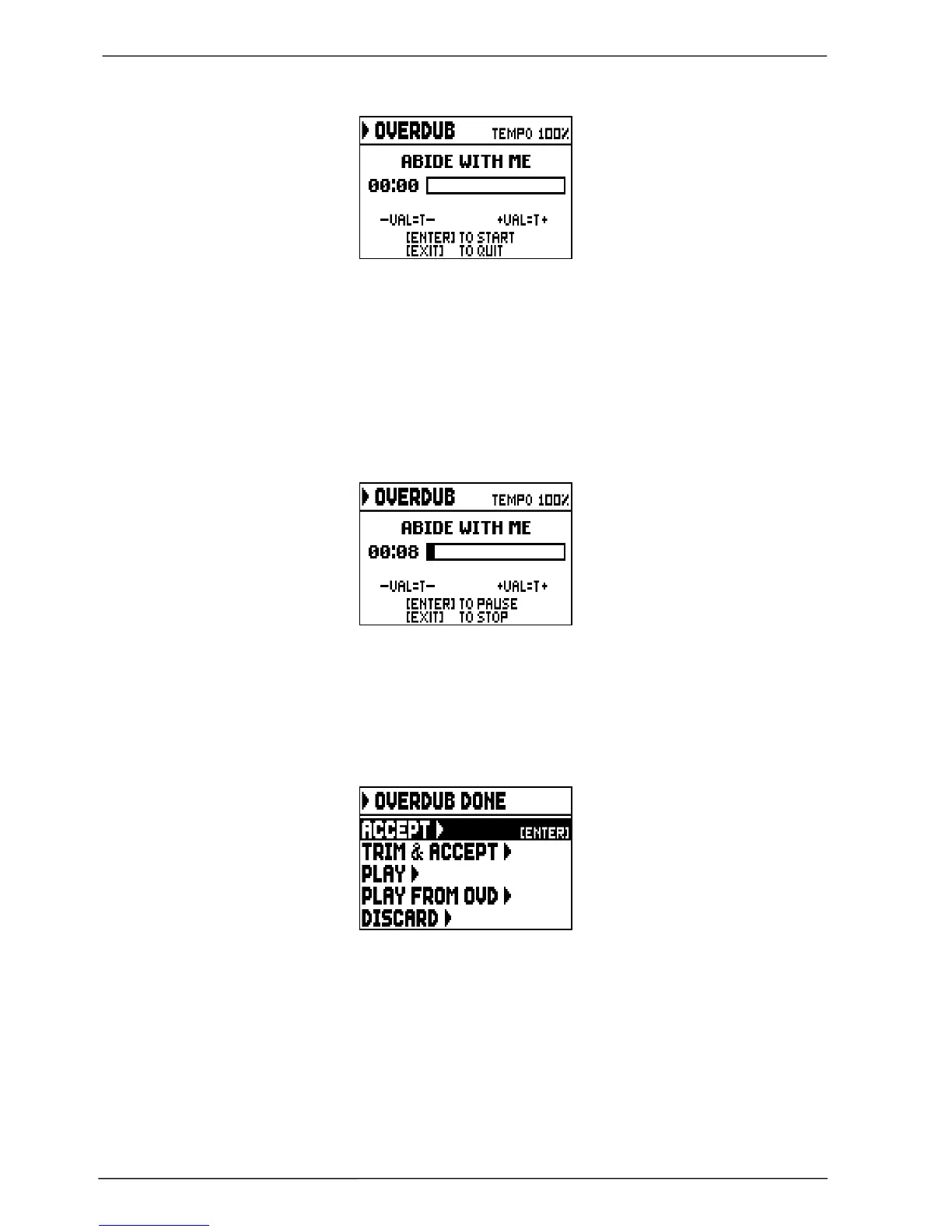
Now the sequencer is ready to overdub:
The screen carries information about the functions of the buttons:
- [ENTER]: start recording.
- [EXIT]: leave the sequencer.
- [VALUE -]: decrease play /recording speed. It can be seen on top left as percentage (100% in the
picture above).
- [VALUE +]: increase play / recording speed. It can be seen on top left as percentage (100% in the
picture above).
As the recording begins, the controls change again:
- [ENTER]: pause / start recording.
- [EXIT]: stop recording.
[VALUE -], [VALUE +] maintain the functions described above.
Press [EXIT] to quit the recording. The system will ask you to accept the overdubbing:
You can choose one of the following options:
o ACCEPT: accept the overdubbing. In case the overdub track is shorter than the original songs, it will
not be shortened.
o TRIM AND ACCEPT: accept the overdubbing. If the overdub track is shorther than the original
song, this will be trimmed to end together with the overdubbing.
o PLAY: play the song with the overdubbing, so as to assess the track. The changes will not be saved
yet.
o PLAY FROM OVD (overdub): plays the song, starting from the first event of last overdubbing, so as
to assess the track. The changes will not be saved yet.
o DISCARD: discards the overdubbing.













 To Next Page