50
Viscount Physis Organs Reference Manual
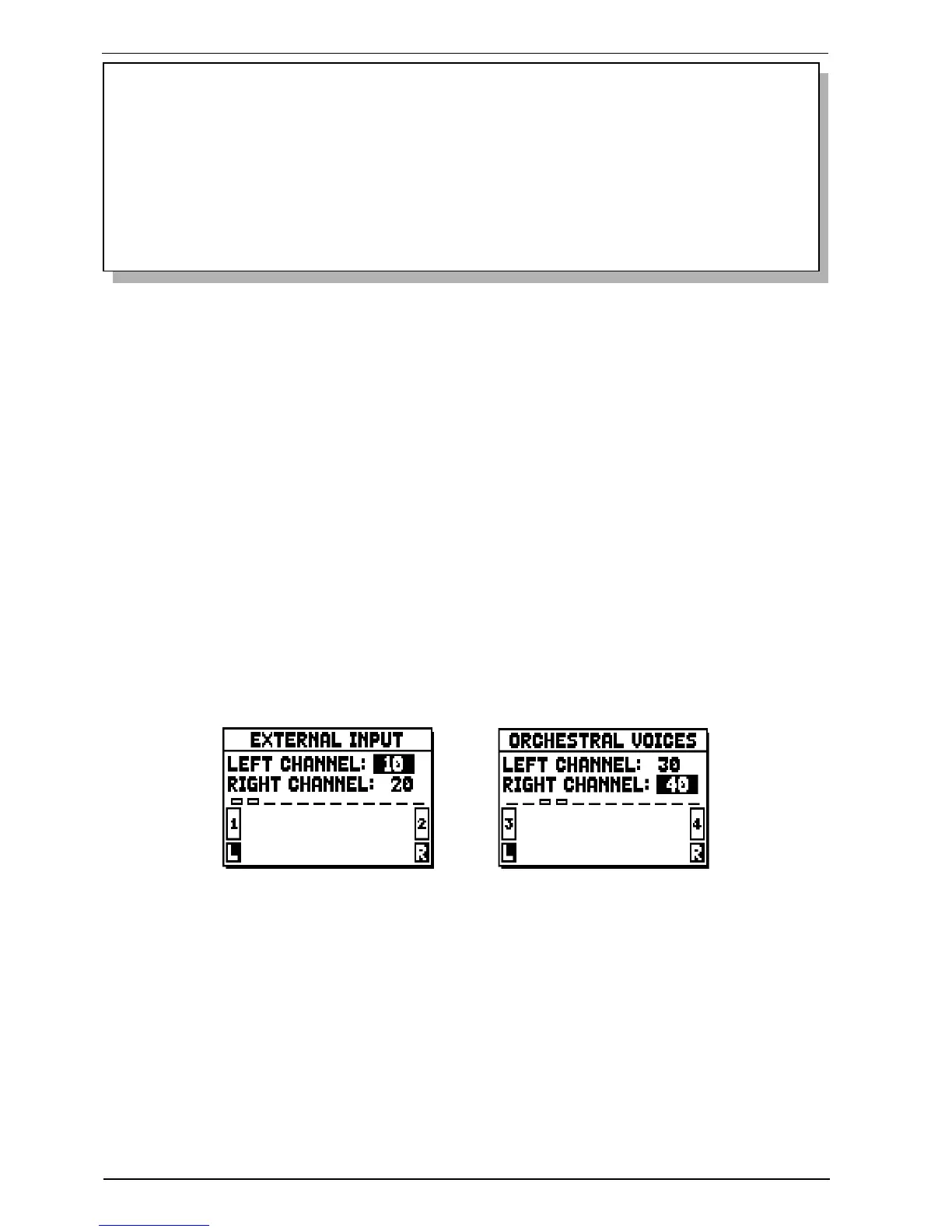
For orchestral voices and input signals, only a stereophonic panning is allowed, with left and right signal
rearranged to the PROG. OUT outputs.
NOTES
- Although the windchest description features two Wing modes (left and right), in the set-up menu
you will see just one WING option. To set it as “left” or “right” wing, just adjust the parameters
of the limit position “FROM” and “TO”, to set the windchest in the desired configuration.
If the “FROM” value is lower than the “TO” value, the wing will go from right to left (right
wing). If the “FROM” value is higher than the “TO” value, it will be a left wing.
- The examples in the pictures relate to FROM and C values set to 1, TO and C# to 4, POSITION
to 2 and they are to be intended as examples only. The real percentage of the signals may vary,
especially according to the stops selected and the output levels.
o FROM and TO: they select the limits of the area, set in outputs, within which the wind-chest is to be
located. The value is set as [output number-position between two outputs], bearing in mind that there are
four positions between one output and the next (2-4-6-8 on the display). A value of 40 means that the
end of the range (FROM or TO) is on output [4]; a value of 82 means that the FROM or TO point is
between output [8] and [9], close to [8] since it is in the first fifth of the area between output [8] and
output [9]. The screen previously shown refers to a peaked wind-chest placed between output [1] and a
position between outputs [3] and [4].
o [position indicator]: it consists of small rectangles located above the drawing of the wind-chest and
indicates that the zone is displaying the part below the total number of outputs.
o [wind-chest on outputs]: in the bottom of the screen, it provides a graphic illustration of the wind-
chest with the references to the outputs being used, to give an immediate picture of its position and the
outputs which will carry the notes, in accordance with the wind-chest configuration.
To view the setup of another stop, simply activate the draw-stop / tab or press [EXIT] to quit the function.
In both cases the set-up just created is saved automatically.
The LEFT CHANNEL and RIGHT CHANNEL inputs and the orchestral voices can be connected to a
pair of outputs or intermediate positions between the two.


 To Next Page