72
Viscount Physis Organs Reference Manual
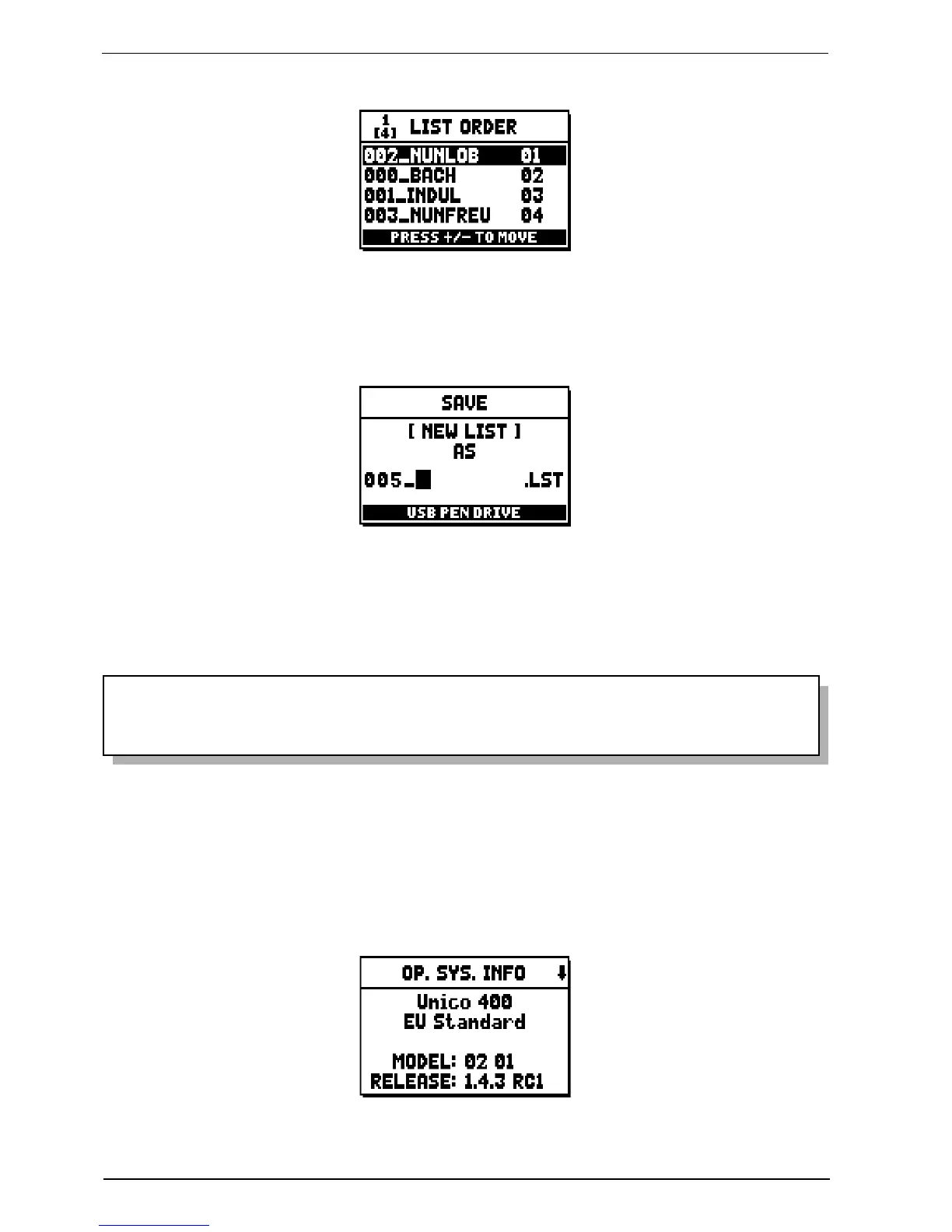
Then arrange the pieces within the list (or confirm the previous programming):
To move a piece into a different position, locate the cursor on the relative field of the file with the
[FIELD ] and [FIELD ] buttons and use [VALUE +] to move the position forward or [VALUE -] to set
an earlier position. Finally, press [ENTER] to save the list or [EXIT] to return to the previous video page.
As for MIDI files, the first three characters can only be numbers.
To enter the name, use the [FIELD ] and [FIELD ] buttons to move the cursor and [VALUE +] and
[VALUE -] to select the character.
Press [ENTER] to confirm the name and proceed to save, or [EXIT] to return to the previous video page.
NOTE
When using a computer to rename files stored on the USB pen, remember that names can only
contain numbers and letters, which must all be lowercase.
11.8 OPERATING SYSTEM VERSION (O.S. INFO function)
To check what release of the operating system is currently running in your instrument, select the O.S. INFO
field from the FILE MANAGEMENT menu. To check if there are updates and to install them, see
chap. 10.4.
The upper section of the screen shows the organ model and version (Europe, USA, UK, Standard, Custom
etc.) while the MODEL field shows the identification number of your organ.


 To Next Page