63
Viscount Physis OrgansReference Manual
NOTES
- Once the USB pen is inserted please wait some seconds before displaying the FILE
MANAGEMENT menu. If the instrument still does not detect the drive, press [EXIT] to leave
the menu and then try again.
- To copy a file into a USB pen that has never been used, first use your computer to create manually
two folders: "v_songs" and "v_settings". Files should be placed in the folders according to the
extensions listed above.
- Should you need to rename the files on the USB drive with a computer, please remember that
names can have a maximum length of 12 characters or digits. Letters must be either all capital
or all lower case.
- When using a computer to rename files stored on the USB pen, remember that names can only
contain a maximum of 12 numbers and letters, which must all be lowercase.
- Always use USB pens formatted with FAT or FAT32 file system (no NTFS). We advise to use
dedicated utilities created by the drive producer (usually available on CD-ROM or website).
11.1 FILE MANAGEMENT (DIR function)
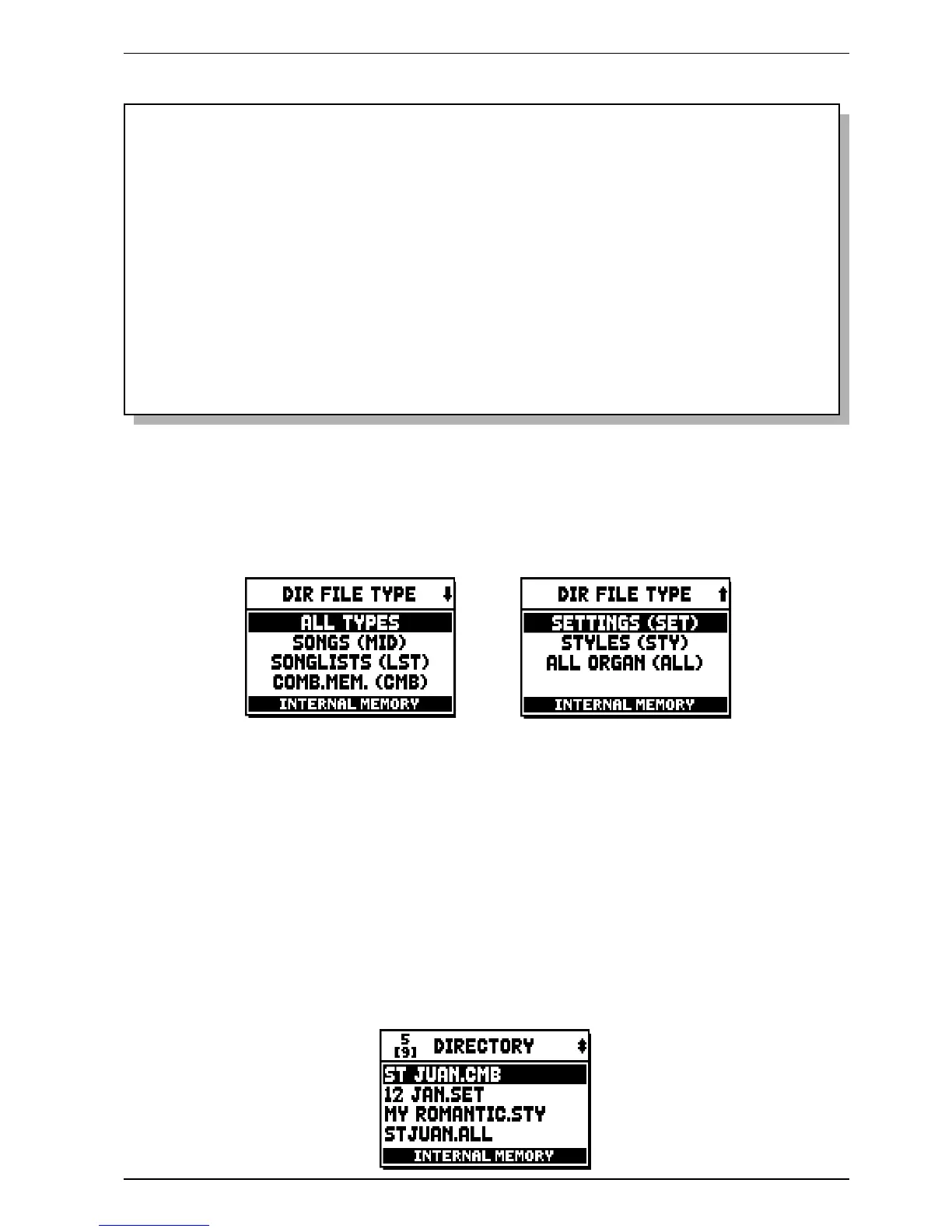
In order to visualize what files are in your memory, select the DIR field under the FILE MANAGEMENT
menu:
Then select which files are to be shown:
o ALL TYPES
o SONGS (MID): music pieces, .mid files.
o SONGLISTS (LST): song lists, .lst files.
o COMB.MEM (CMB): memories (of any kind), .cmb files.
o SETTINGS (SET): settings from TUNING, SETUP and UTILITY & MIDI menus, .set files.
o STYLES (STY): organ styles, .sty files.
o ALL ORGAN (ALL): general organ configurations, .all files.
Select one of these options to display a list of files. A field on the top left indicates the position of the
selected file in the list, and the number of files with the same extension (in square brackets):
For a detailed description on the content of the .all, .set, .sty and .cmb files, read par. 14.4.


 To Next Page