EN - 11
3.11 SETTING THE TOUCH SENSITIVITY
The instrument has four levels of sensitivity to pressure, that is, how
the instrument responds to the strength applied to the keyboard.
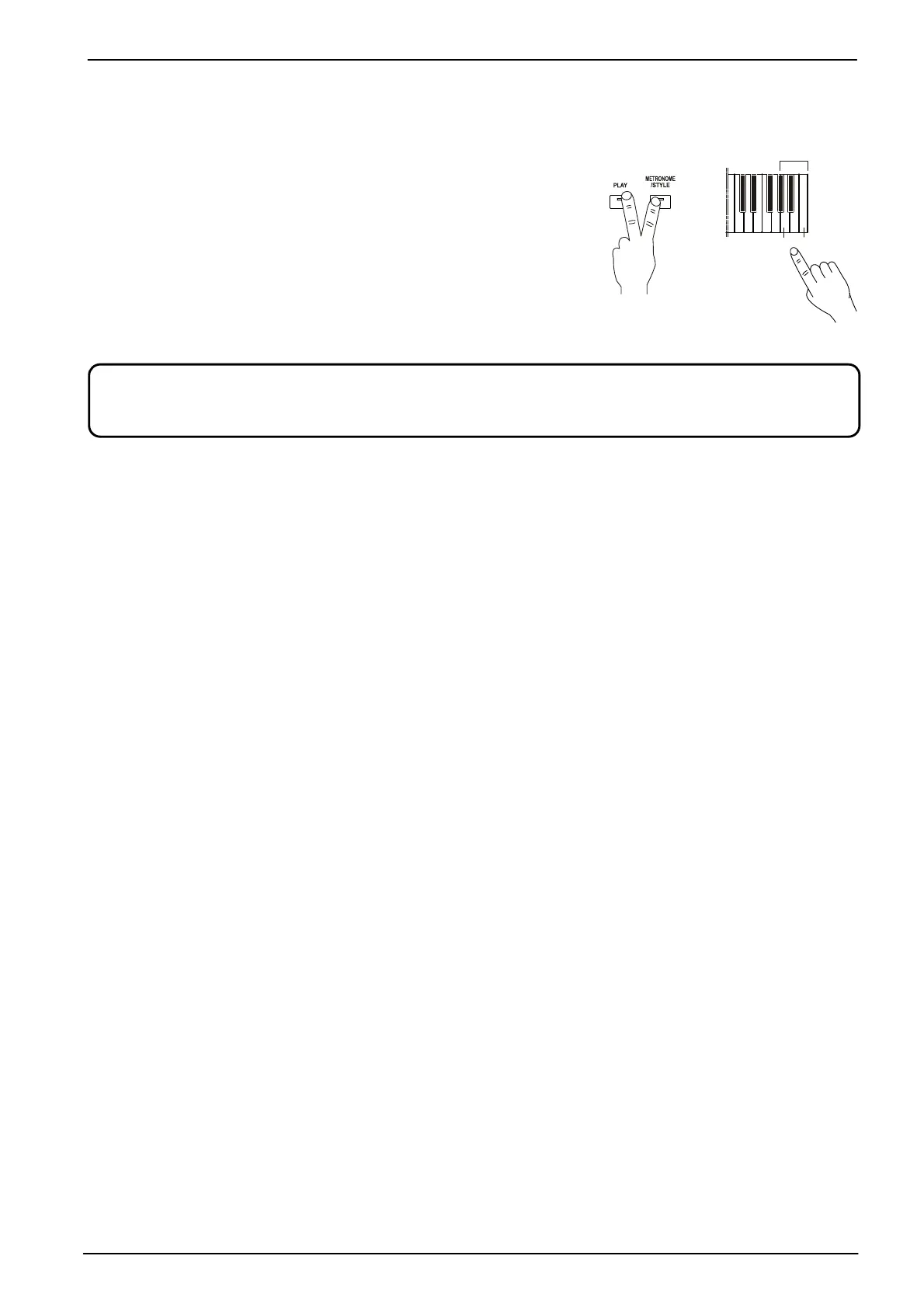
To select the level of touch sensitivity, press and hold the [PLAY]
and [METRONOME / STYLE] buttons, then:
- A7: fixed, the sound does not change depending on the
pressure exerted on the keys.
- A#7: soft, reaching maximum volume even with light pressure.
- B7: medium, the increase in volume is proportional to the
increase of the pressure exerted on the keys.
- C8: hard, it is necessary to exert strong pressure on the keys in
order to achieve higher volumes.
Because of the inherent features of the reproduced instrument, the keyboard velocity (dynamic curve) selected
does not affect the Harpsi, E. Organ and Organ sounds. These instruments have a fixed dynamic.
C8
+









 To Next Page