EN - 14
-
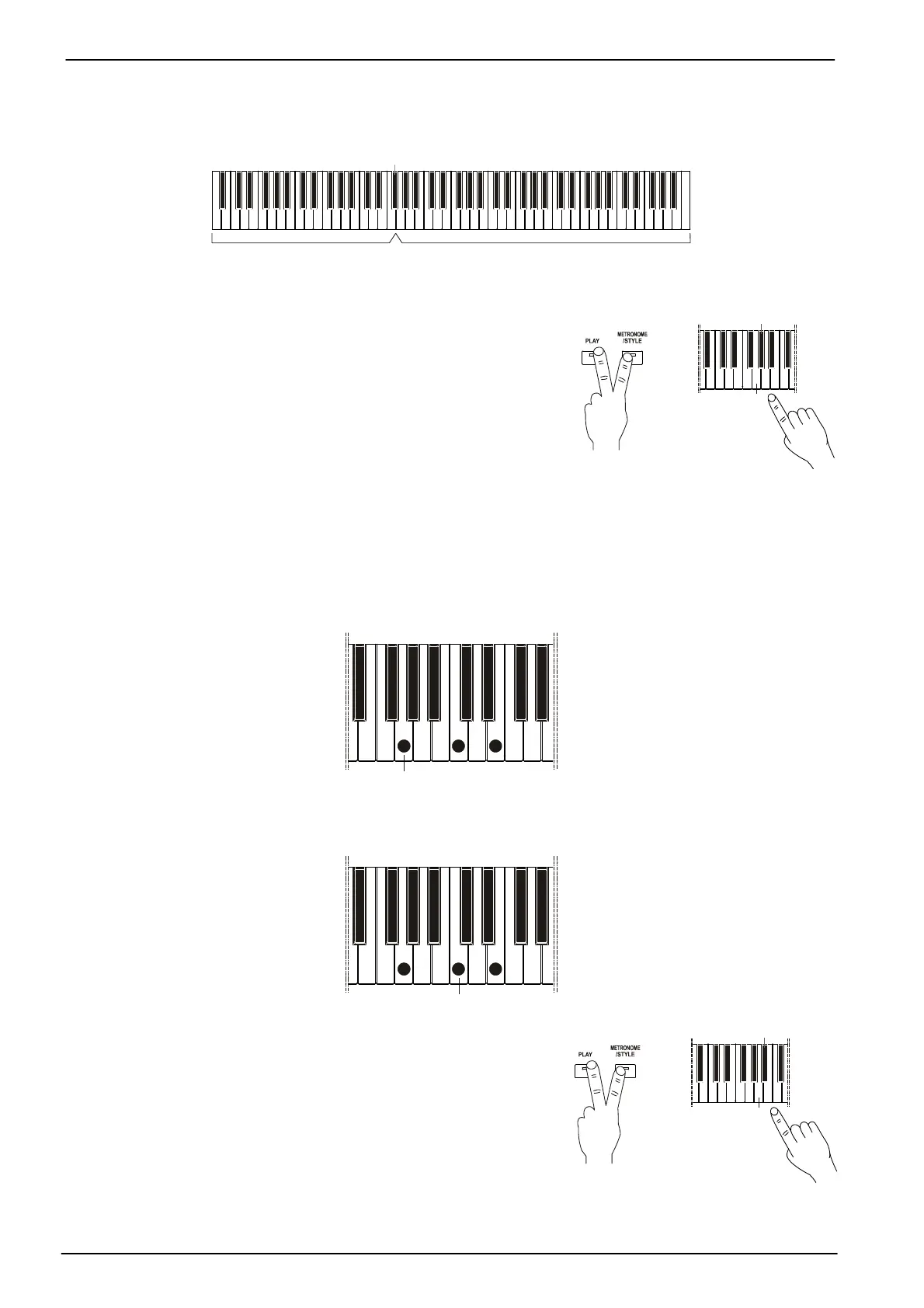
Full Keyboard Chord
OFF, chords are recognized only on the left side of the keyboard, from the first A
(A0), to the
split
point
(see par. 3.3). Even a single key is recognized as a chord.
(default ): F#3
Melody sectionChords recognition section
In
Single
or
Dual
mode, the keyboard is still divided at the Split Point (see Par. 3.3), the left side is used for
chord recognition and plays only the accompaniment, while the
right side can be played normally.
In
Split
mode, the sound of the left part is deactivated.
To change the type of chord recognition, press and hold [PLAY]
and [METRONOME/STYLE], then:
- G6:
Full Keyboard Chord
ON.
- G#6:
Full Keyboard Chord
OFF.
4.6 THE BASS IN STYLES
There are two types of accompaniment for the bass:
-
Bass to Lowest
ON: the bass plays mostly the lowest note or, in musical terms, the inversion of the
recognized chord. For example, when the musician plays a C major chord by pressing the keys, from bass
to treble, C, E and G, the bass plays C. When the keys E, G, C, are pressed instead, the bass plays E.
Pressing G, C, E, the bass plays G.
-
Bass to Lowest
OFF: the bass plays the root note of the recognized chord. For example, if the chord is
recognized as C major, the bass plays mostly the note C.
To change this setting, press and hold the [PLAY] and
[METRONOME/ STYLE] buttons, then:
- A6: bass to lowest OFF.
- A#6: bass to lowest ON.
+
(off)
+









 To Next Page