EN - 15
5. USING THE METRONOME
The metronome is a useful tool to practice a precise tempo. It
has different settings that can be
adjusted: tempo, time signature and volume.
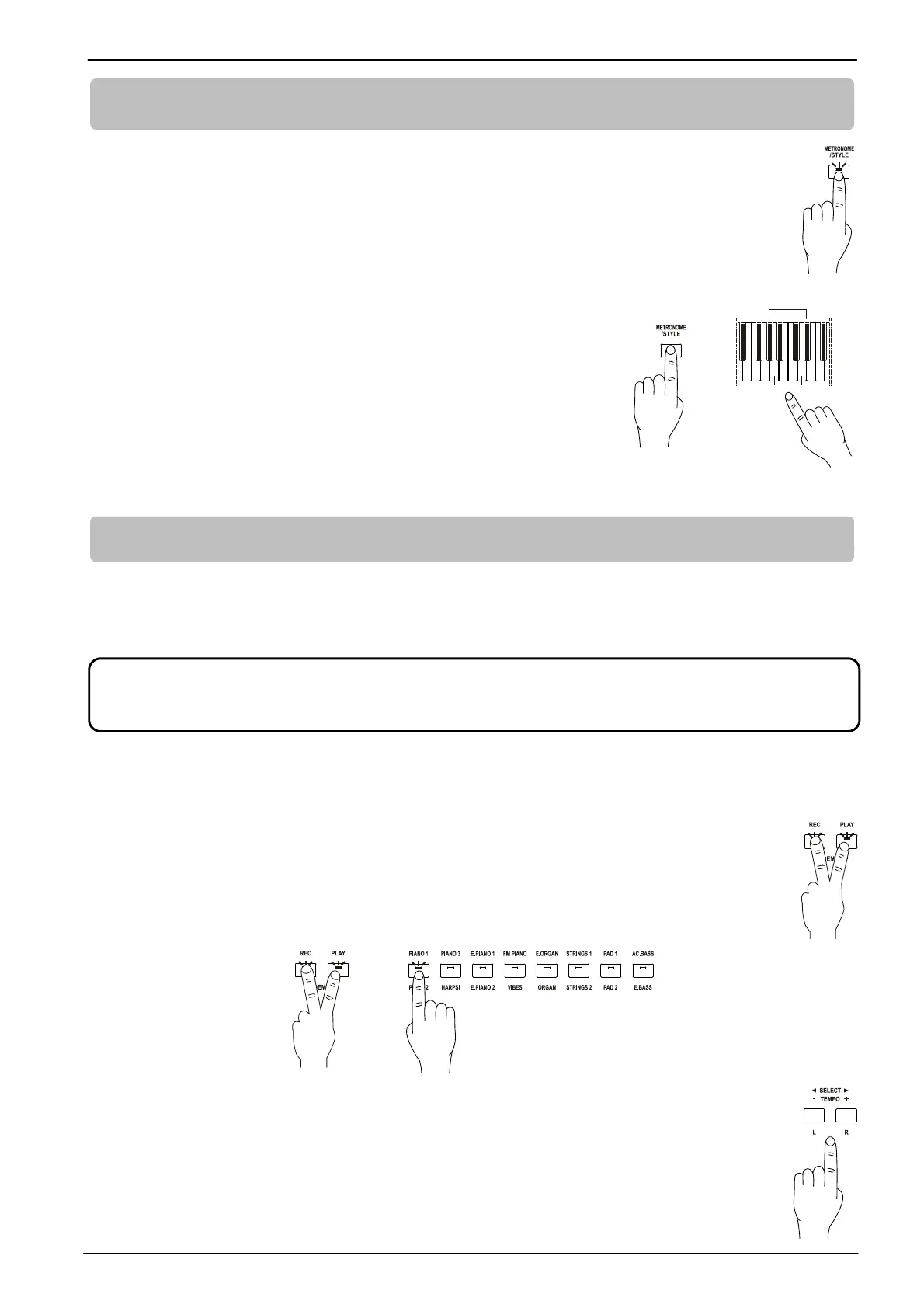
To activate the metronome, press the [METRONOME/STYLE] button. The red light indicates the
beat, the blue light indicates the upbeat.
Press [METRONOME/STYLE] button again to switch off the metronome.
To select the time signature of the metronome, press and hold
[METRONOME/STYLE], then the keys:
- A1: no time signature
- da A#1 a D2: from 2/4 to 6/4
To adjust the metronome tempo, follow the procedure described in par.
4.3.
To adjust the metronome volume follow the procedure described in par.
4.2.
6. PLAYING SONGS
The instrument includes a demo track as a general presentation of the instrument, 16 demo songs and 44
piano songs for the purpose of entertainment and learning.
6.1 PLAYING DEMO SONGS
To listen to the instrument demo track, press simultaneously the [REC] and [PLAY] buttons. The
LEDs of both buttons blink during playback.
To stop playing, press [REC] or [PLAY].
To listen to the demo song of a sound, press the corresponding sound button (press twice to
select the song of the second sound).
When a demo song has already started, press the [SELECT ] button to select the previous
song or [SELECT ] to skip to the next.
The light of a sound button always blinks, indicating the sound corresponding to the demo
song.
If the user does not perform any action on the panel, the instrument automatically plays all the
tracks in sequence (from left to right).
To stop playing the song, press [REC] or [PLAY].
All rights are reserved. The unauthorized use of this material, for purposes other than private personal use, is a
violation of applicable laws.
+
A1









 To Next Page