EN - 12
4. PLAYING WITH ACCOMPANIMENT
4.1 SELECTING AND PLAYING A STYLE
The piano SMART 30 features a wide range of styles with which you can be accompanied by other instruments
or only by a piano. This is especially useful to enrich your performances or for learning. The instrument is able
to recognize the harmony of a piece, thus the accompaniment plays perfectly in tune with what the musician is
playing.
There are two kinds of styles:
-
Style
: a complete instrumental arrangement with drums, bass and other instruments.
-
Pianist Style
: useful for musicians with a purely pianistic approach. The accompaniment consists only of
an acoustic piano.
To select a style, be it S
tyle
or
Pianist Style,
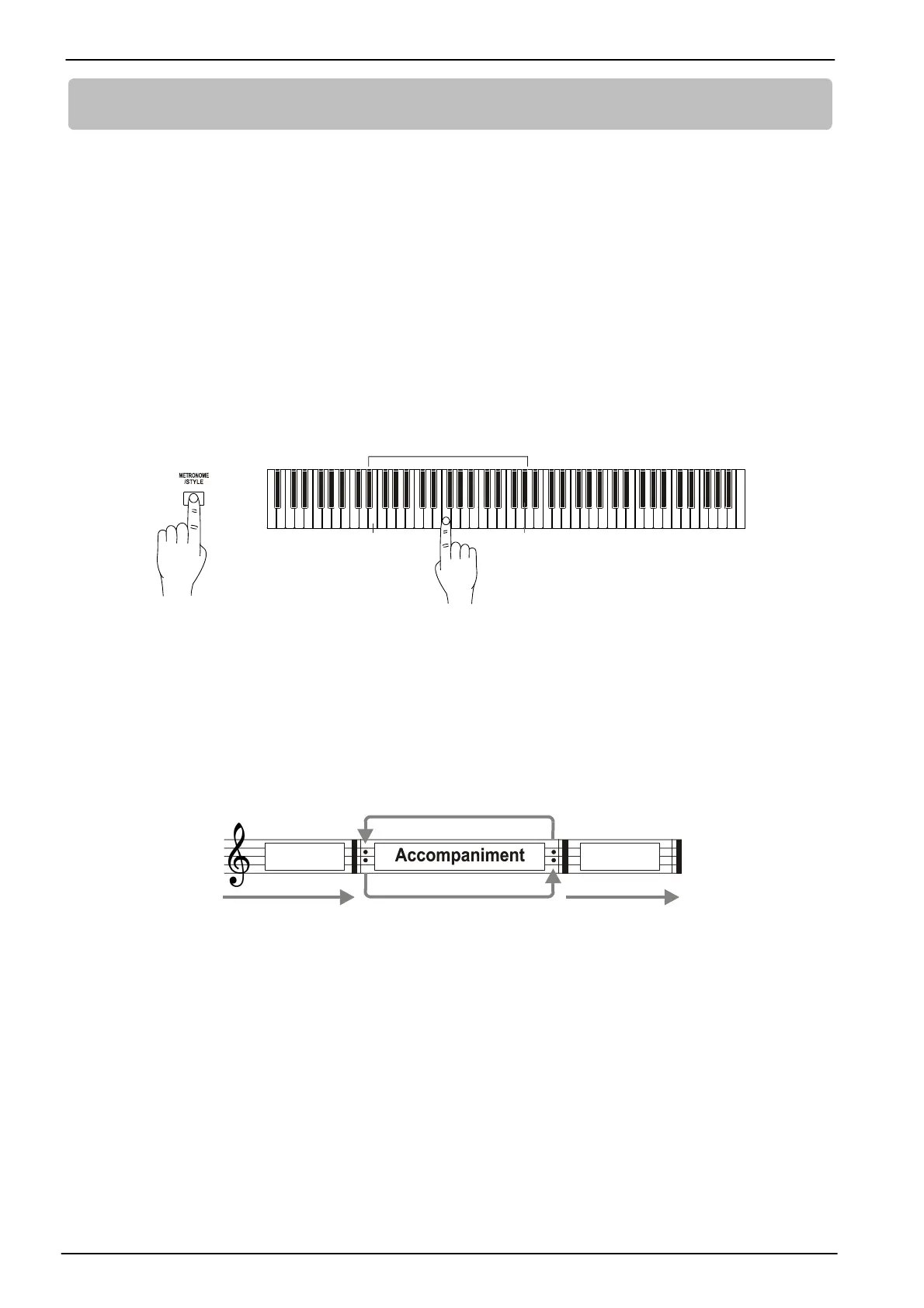
press and hold the [METRONOME/STYLE] button, then press one
of the keys from E2 to G#4. The key corresponding to each Style can be found in chap. 10.
+
E2 G#4
While the accompaniment is playing, you can also immediately select a different
Style
without interruption. In
this case the new style is played with the same tempo of the previous one. To adjust the tempo, see to the par.
4.3.
STYLE
Each
Style
consists of an introduction phase, during which the [START/STOP] button light blinks. It is followed
by the accompaniment phase, when the light is steady: you can choose two variations of this stage through the
buttons [VAR A] and [VAR B]. The ending can be executed by pressing the [START/STOP] button, and it is
indicated by the blinking button light. At the end of the style, the [START/STOP] light turns off.
Intro
Variations to the accompaniment can be recalled at any time of the performance; you can also play rhythm
embellishments by pressing again the button corresponding to the currently selected variation.
To start a
Style,
follow one of these procedures:
- press [START/STOP]: this will play the introduction, during which you can play the first chord of the song.
- press and hold [START/STOP]: the style does not start until the first chord is played.
It is also possible to exclude the instrumental accompaniment and continue only with the drums, by pressing
the [ACC ON/OFF] button. Press the same button again and play a chord to reactivate the accompaniment.
PIANIST STYLE
As already mentioned, a
Pianist Style
is an accompaniment played only with a piano sound. The introduction,
the ending and the variations are not available.
To start a
Pianist Style
simply press the [PIANIST STYLE] button. Its light will start blinking. As soon as you play
a chord, the light becomes fixed and the selected style starts to accompany the performance of the musician.
Press again [PIANIST STYLE] to stop the accompaniment.









 To Next Page