Installation Visioneer
®
7900
User Guide
13
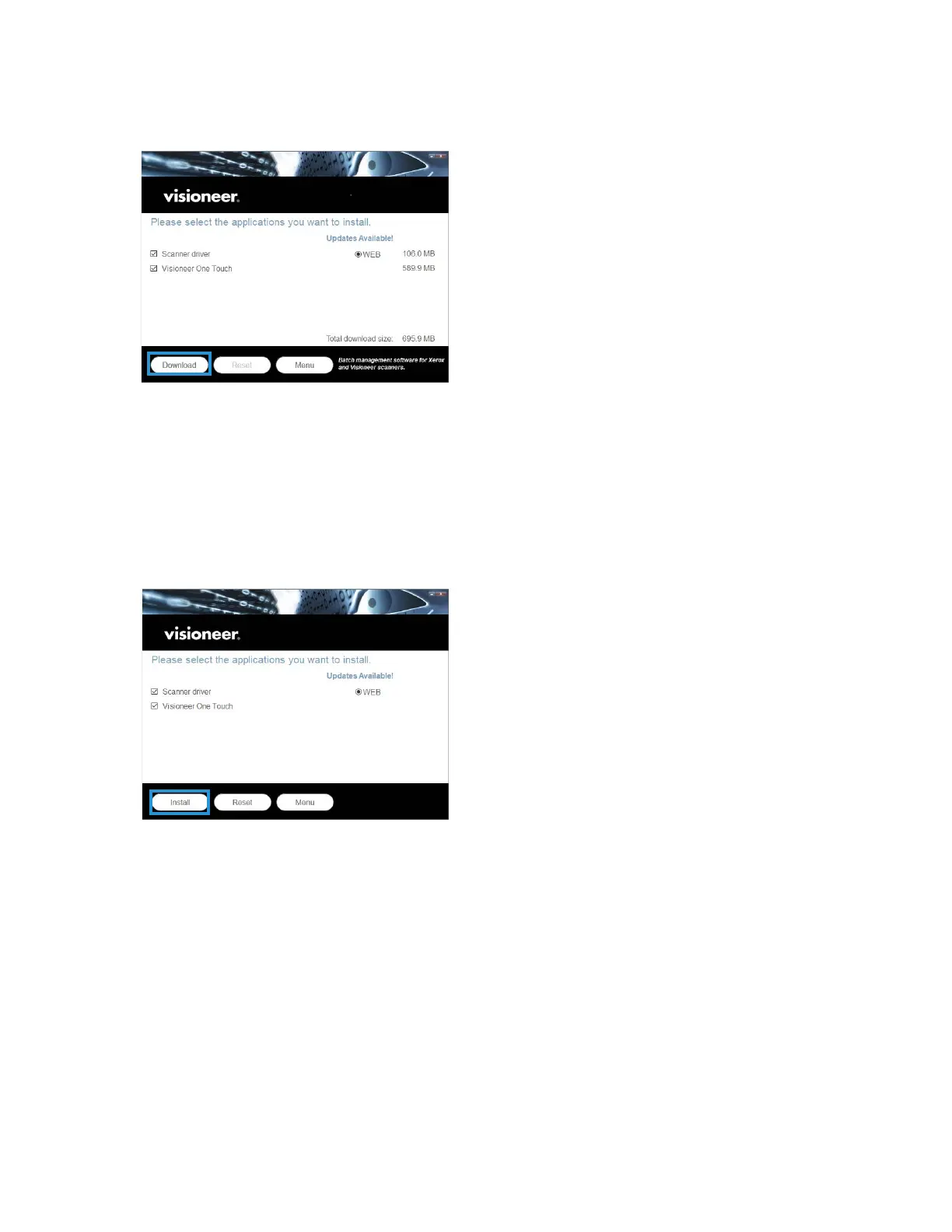
9. Make sure the boxes for Scanner Driver and Visioneer OneTouch are selected, as well as any other
applications you want to install.
The software will have to first be downloaded by clicking Download. The total size of the download is
shown at the bottom.
10. After the download has begun, it can be paused. If changes to the selections are required, it is
necessary to click Reset while the download is paused. This will allow the settings to be changed.
Note: Clicking the Reset button in either the Main menu or the Install menu will cause both partially
completed and previously downloaded files to be deleted. In order to be installed they will have to be
downloaded again.
11. Once all of the software has been downloaded, click Install.












 To Next Page