Visioneer
®
7900 Installation
14 User Guide
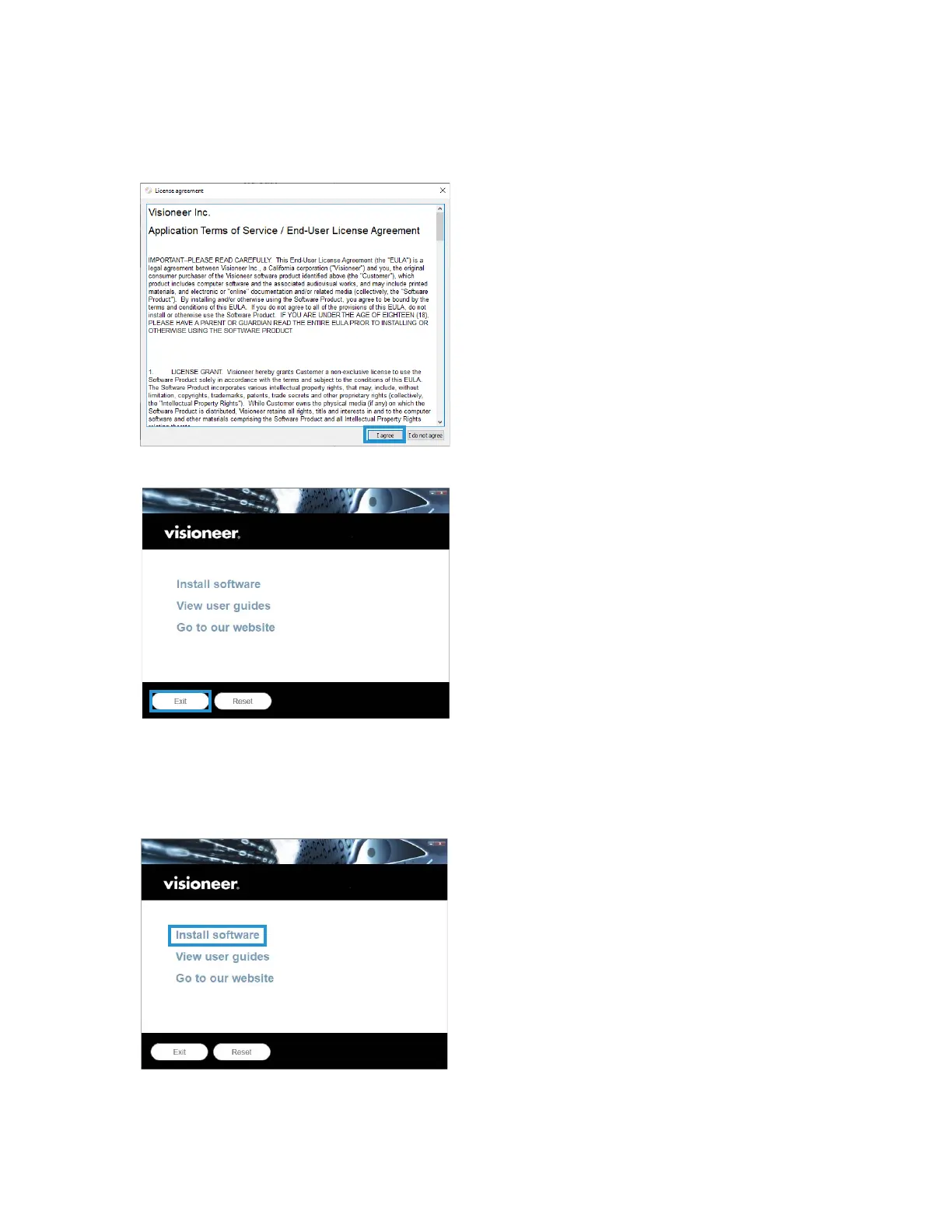
12. On the License Agreement window, read the license agreement. If you accept the terms, select I
Agree.
If you click I do not agree, the installation will terminate.
13. Once all of the software has been installed, Click Exit.
INSTALLING ADDITIONAL APPLICATIONS
1. Once all of the software has been installed, click on Install software.
2. If a version of the software is already installed on the system, the option will be grayed out. However, if
there is a newer version available, it will be possible to download and install.












 To Next Page