Visioneer
®
7900 Maintenance
22 User Guide
HARDWARE PROPERTIES
You can use the scanner’s properties page to keep track of scanner maintenance, change some of the
hardware options, configure the scanner interface behavior, and adjust application options that may be
available for your scanner.
To open the scanner hardware properties page:
■ Windows 7 and later — from the Windows Control Panel, open Hardware and Sound and then
Devices and Printers. Right-click on the scanner and then select Scan properties from the list.
Device Settings
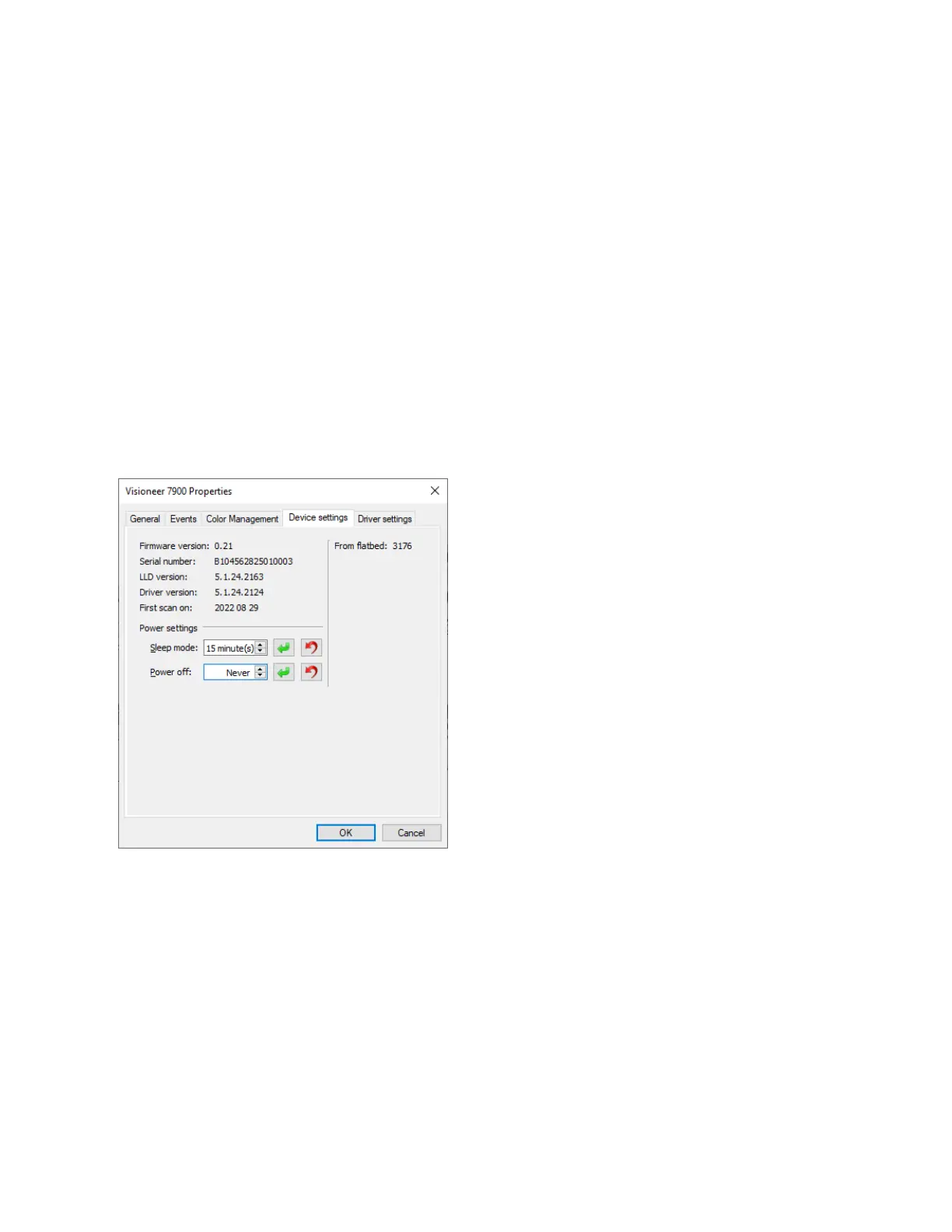
The Device Settings tab shows the hardware information for your scanner. The options on the Device
Settings tab will be available based on whether or not the scanner hardware supports the feature. Some
features described herein may not be available for the current scanner. Please disregard any information
about features that you do not see in the interface for your scanner.
Scanner Details
■ Firmware version — this is the scanner’s hardware processor version number.
■ Serial number — the scanner’s unique identification number.
■ LLD version — the scanner’s base driver version. This is not the OneTouch software revision, TWAIN
or WIA driver versions.
■ Driver version — this is the version of the scanner’s TWAIN driver.
Power Settings
■ Sleep mode — sleep mode is the low-power state when the scanner is not in use. You can adjust the
amount of time you want the scanner to wait before it goes into low power.












 To Next Page