10
DOCKING STATION SETUP (Continued)
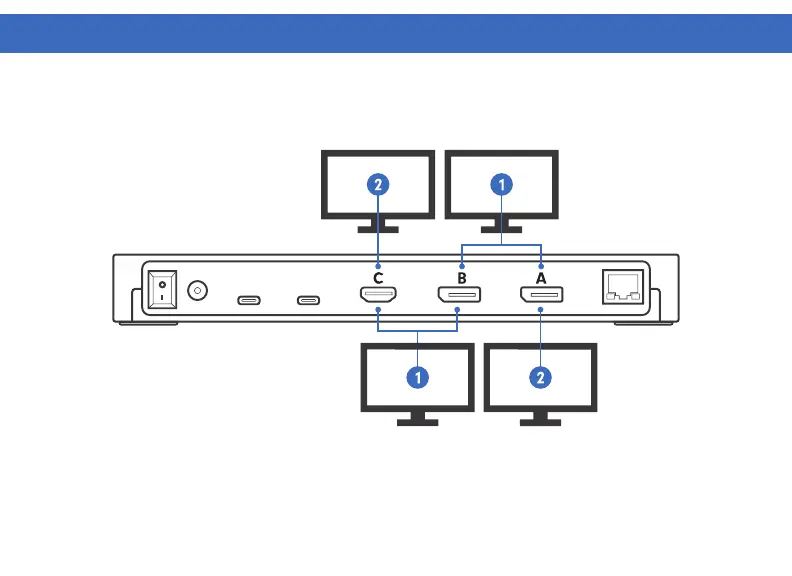
Dual Display Setup - Configuration 1
1. Connect display 1 to the Display A or Display B - DisplayPort
2. Connect display 2 to Display C - HDMI
Dual Display Setup - Configuration 2
1. Connect display 1 to the Display B - DisplayPort or Display C - HDMI
2. Connect display 2 to Display A - DisplayPort



 To Next Page