24
Enable Automatic Launch
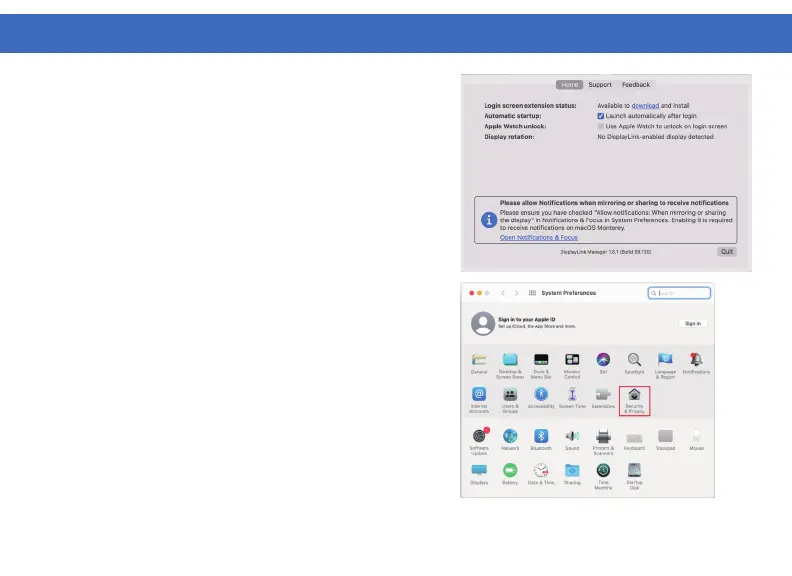
1. Select “Launch automatically after login” for the
DisplayLink Manager software to start automatically
every time you login.
Enable Screen Recording
2. For display output using DisplayLink technology,
Screen Recording may need to be enabled. Navigate
to System Preferences and select Security & Privacy.
DISPLAYLINK MANAGER CONFIGURATION (macOS)



 To Next Page