25
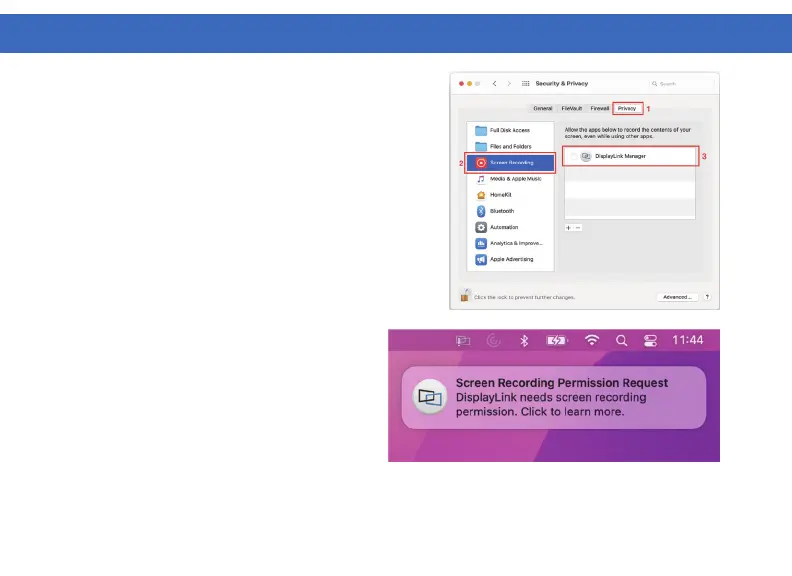
3. Enable “Screen Recording” to allow DisplayLink
Manager to capture video data and transmit it over
USB to your displays.
3.1. Select the “Privacy” tab.
3.2. Navigate to “Screen Recording” in the list
on the left.
3.3. Tick the “Screen Recording” permission for
DisplayLink Manager on the right.
4. If DisplayLink Manger notifications are enabled
it will remind you to allow screen recording when it
detects this permission is not enabled.
DISPLAYLINK MANAGER CONFIGURATION (Continued)



 To Next Page