26
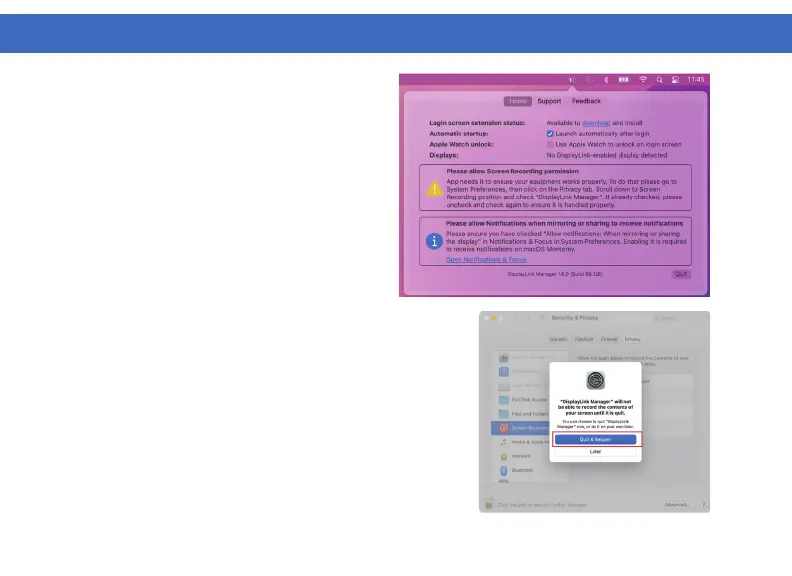
5. This notification will also appear in the
DisplayLink Manager window.
6. The permissions will take effect the net time you launch
the DisplayLink Manager app. Select “Quit & Reopen” to
restart the app.
Note: In Catalina 10.15.x select “Sign Out Now”
7. Reopen the DisplayLink Manager from the application
Finder. In macOS Big Sur or later the application will
automatically restart.
8. DisplayLink Setup should now be complete and working
properly.
DISPLAYLINK MANAGER CONFIGURATION (Continued)



 To Next Page