17
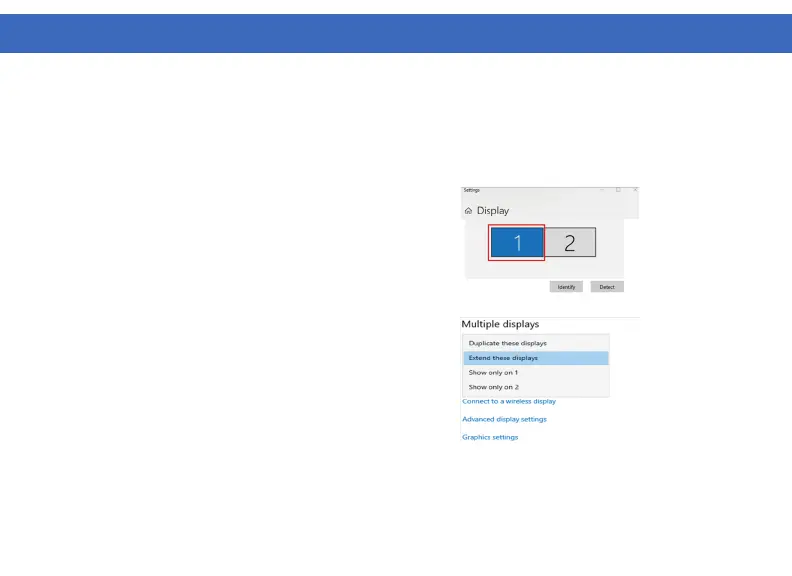
Windows 10 - Display Setup
1. Click the DisplayLink “Icon” in the system tray located in the lower right corner. To set up Video, click
“Video Setup”.
4. Scroll down to “Multiple displays” and select the
mode in the drop-down list that fits your needs.
5. To adjust resolution select “Advanced display
settings”.
2. In “Display”, select the desired display that you want
to adjust.
3. Click and drag the selected display to your preferred
arrangement.
WINDOWS SETUP (Continued)



 To Next Page