1
2
5
3
4
6
7
8
9
10
11
12
13
17
19
19
18
20
21
22
2426
25
27
28
29
23
14
15
16
7
7
6
6
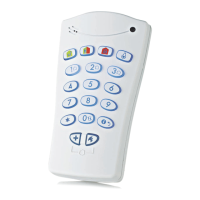
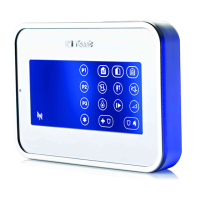
Quick Reference Guide
1. Present Prox Tag
2. Volume indication
3. System status
(NOT READY/BYPASS)
4. Volume-level, Zone #,
PGM / X-10 display
5. PGM / X-10 indication
6. Partition status indication
7. Partition Selection
8. DISARM
9. ARM HOME / QUICK ARM HOME
10. ARM AWAY / QUICK ARM AWAY
11. LATCHKEY
12. Mute exit beeps
13. Volume control
14. Show next status of
open / bypass zones
15. PGM/X-10
16. INSTANT
17. FIRE
18. EMERGENCY
19. PANIC: Press both keys
simultaneously for 2 seconds
20. AUX / Enroll KP-160 PG2 /
Back to factory / Cancel
current operation
21. Control panel messages
22. Installer Mode
23. Memory / Alarm
24. Trouble
25. AC failure
26. Communication failure
27. Low battery
28. Status when Partition is
disabled
29. LED (green and red)


 To Next Page