EVENT REPORTING & CONTROL BY TELEPHONE AND SMS
D-307503 PowerMaster 360 User's Guide 45
Remote control by SMS
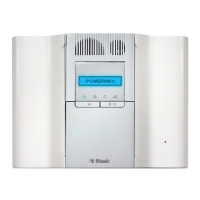
PowerMaster-360 system with GSM unit can respond to SMS commands from any cellular telephone (a detailed
SMS message sending process is described in the cellular telephone user’s guide).
The various SMS commands are detailed in the following table.
In this table, “<code>” means a 4-digit user code and simply means blank space (see Note).
SMS Command List
Individual Partition SMS Format
All Partitions SMS format
“AWAY <code>”
or
“AW <code>”
“P# AWAY <code>”
or
“P# AW <code>”
“AWAY INST <code>”
or
“AWI <code>”
“P# AWAY INST <code>”
or
“P# AWI <code>”
“LATCHKEY <code>”
or
“LK <code>”
“P# LATCHKEY <code>”
or
“P# LK <code>”
Arm AWAY
Latchkey instant
“LATCHKEY INST <code>”
or
“LKI <code>”
“P# LATCHKEY INST <code>”
or
“P# LKI <code>”
“HOME <code>”
or
“HM <code>”
“P# HOME <code>”
or
“P# HM <code>”
“HOME INST <code>”
or
“HMI <code>”
“P# HOME INST <code>”
or
“P# HMI <code>”
“DISARM <code>”
or
“DA <code>”
“P# DISARM <code>”
or
“P# DA <code>”
Define custom
house identity
1
“HOUSE NAME <code> <house ID>”
or
“HN <code> <house ID>”
“P# HOUSE NAME <code> <house ID>”
or
“P# HN <code> <house ID>”
“STATUS <code>”
or
“ST <code>”
“P# STATUS <code>”
or
“P# ST <code>”
Note: The PowerMaster-360 may react with a delay to received SMS messages if a GPRS session is in
progress at the same time.
House ID includes up to 16 characters, for example, JOHN'S HOUSE



 To Next Page
