5500/6500
24 25
Alternative Frequency (AF) tuning
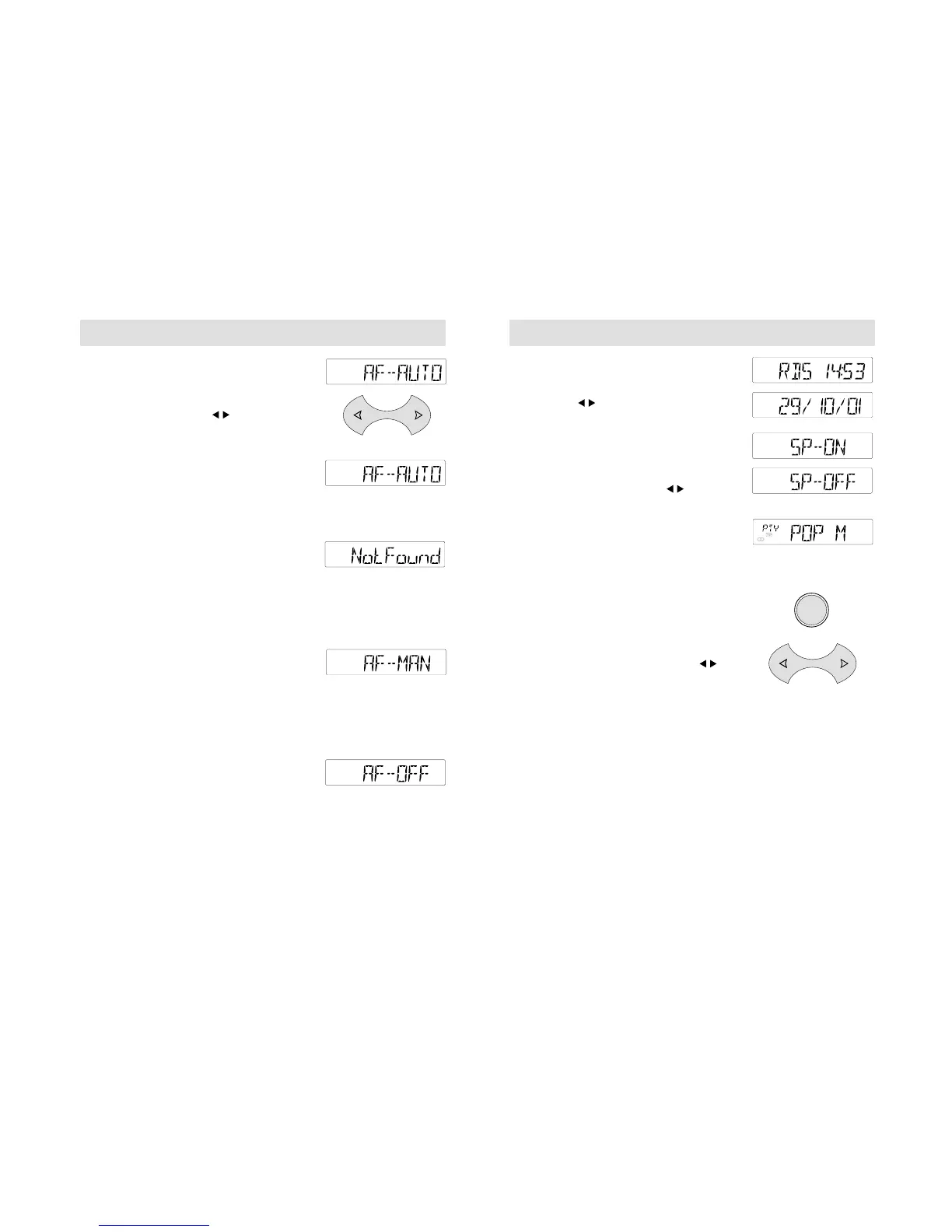
Press and hold the MENU button until the
display changes. Then press the MENU button
repeatedly until a display like the one shown
opposite appears. Use the button to switch
between 'AF AUTO' 'AF-MAN' and 'AF-OFF'.
AF-AUTO
With 'AF AUTO' selected, the unit automatically
mutes while it checks its list of alternative
frequencies and, if necessary, searches once
across the waveband for a genuine alternative
frequency.
Radio reception is restored when an alternative
frequency is found or, if one is not found, the
unit returns to the original stored frequency
and 'Not Found' is displayed.
This check may interrupt reception briefly and,
under certain reception conditions, you may
wish to select 'AF- OFF' or 'AF- MAN'
(see below).
AF-MAN
With 'AF- MAN' selected, if a station signal
weakens, press any preset button to start AF
tuning. The audio unit may mute while it
checks its list of alternative frequencies and
then retunes, as necessary, to a stronger signal.
If an alternative frequency is not found, the
original station frequency remains selected.
AF-OFF
With 'AF- OFF' selected, if a station signal
weakens, the original stored frequency
remains selected.
With the function switched off, 'AF- OFF' will
be displayed every time the unit is turned on.
5500/6500
Clock and date displays
Press the MENU button repeatedly until a
display like the one shown opposite appears.
Then use the button to alternate between
clock and date displays.
Music/speech selector
Press and hold the MENU button until the
display changes. Then press the MENU button
repeatedly until a display like the one shown
opposite appears. Then use the button to
switch this function on or off.
Programme type (PTY) selection
Press the MENU button repeatedly until 'PTY'
appears in the display. The programme type
(e.g. 'SPORT', 'POP M') currently selected is
also displayed.
Selecting different programme types
• While 'PTY' is displayed, use the volume
control to select another programme type.
Selecting similar programme types
• While 'PTY' is displayed, press the
button and the audio unit will search for
other stations broadcasting programmes with
the same PTY as you have selected.



 To Next Page