5500/6500
26 27
• While searching, the audio unit mutes, the
programme type is displayed and 'PTY'
flashes in the display.
• When a suitable programme is found, that
station's name and your selected programme
type will alternate in the display. Radio
reception is restored with the new station
and programme selected.
• If the new programme is not required, then
press while the display is still flashing
and the search will continue until another
matching programme is found.
• If a station transmitting a programme with
the same PTY cannot be found, 'Not Found'
is displayed and the audio unit will return to
your original station.
PTY selection during tape or CD playback
• If a PTY search is activated during CD
playback, your audio unit will restore radio
reception when it finds a station transmitting
the PTY selected.
If a station transmitting a programme with the
same PTY cannot be found, the audio unit will
continue to search.
• To cancel this search and retain tape or CD
playback, press the MENU button.
• To cancel this search, and restore radio
reception, press AM/FM.T
5500/6500
MENU BUTTON
Main features - radio
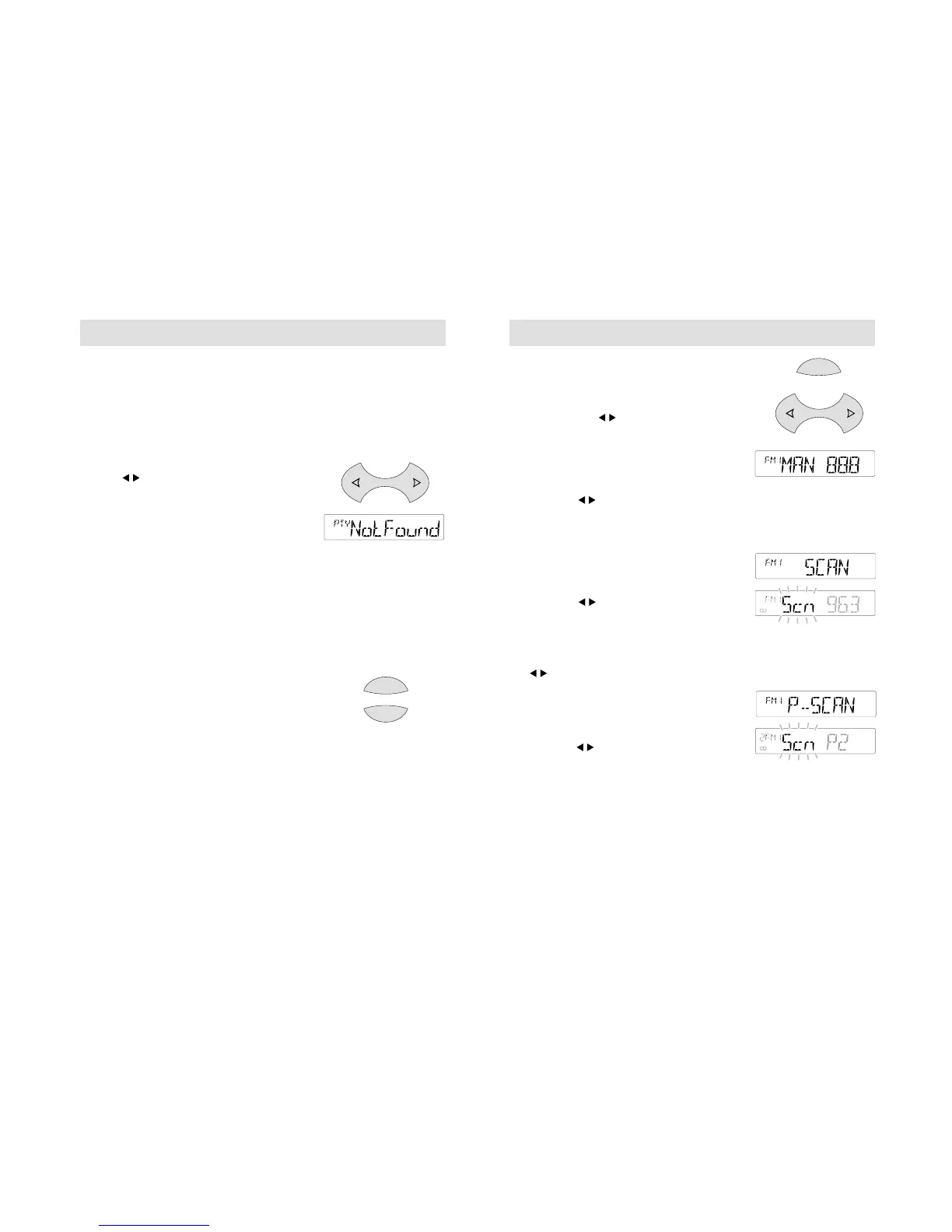
In addition to the RDS functions outlined, use
the MENU button to access other main menu
features, and the button for adjustment.
Manual tuning
Press the MENU button repeatedly until a
display like the one shown opposite appears.
Then use the button to make manual
tuning adjustments. The FM waveband allows
50kHz tuning steps, and the AM band 9kHz
steps.
Scan tuning
Press the MENU button repeatedly until a
display like the one shown opposite appears.
Then use the button to scan up or down
the waveband selected. Each time a station
frequency is found, 'Scn' flashes in the display
and a few seconds of radio reception can be
heard before the scan begins again. The display
briefly shows each frequency selected. Press
the button to end scan tuning and to listen
to the station selected.
Preset scan tuning
Press the MENU button repeatedly until a
display like the one shown opposite appears.
Then use the button to scan up or down
frequencies stored on the presets. 'Scn' flashes
in the display, together with the number of the
selected preset, and each stored station is
played for a few seconds in turn. Press any
preset or MENU again to continue listening to
the stored station selected. The display
confirms the preset selected.



 To Next Page