10 11
RDS and RDS-EON
Audio units equipped with Radio Data System
(RDS) or Radio Data System - Enhanced Other
Network (RDS-EON) decoders pick up special
signals, transmitted on the FM waveband, when
tuned to some stations.
These provide additional features such as the
name of the radio station selected or traffic
information that automatically interrupts
normal broadcasts. However, certain features
may not be available from all radio stations.
RDS features
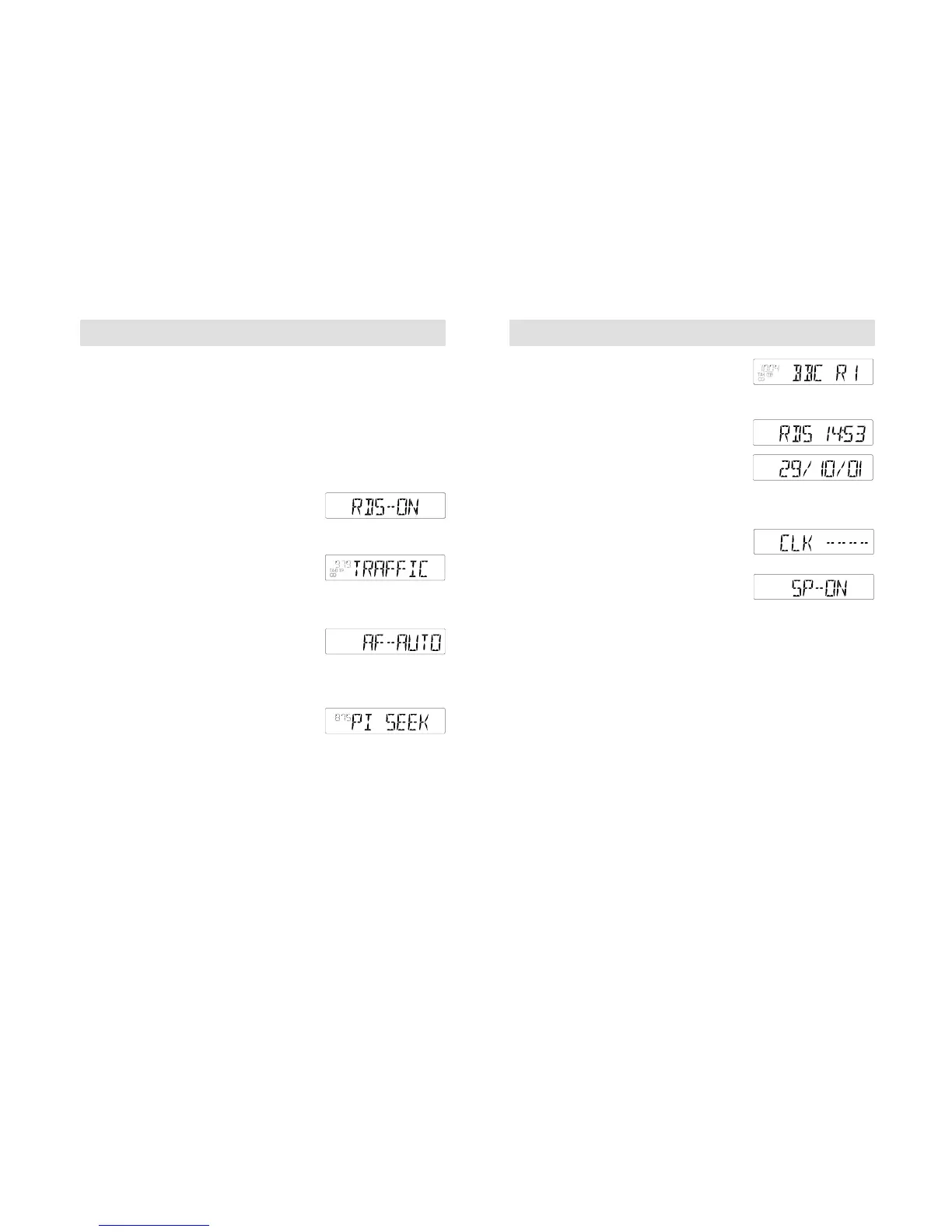
With the RDS function switched on, the
following features may be accessed.
(To select this feature, refer to page 22.)
Traffic Information (TA)
With this function selected, traffic information
broadcasts will automatically interrupt
normal radio, cassette or CD playback.
(To select this feature, refer to page 22.)
Alternative Frequencies (AF)
Some radio stations broadcast on different
frequencies in different parts of the country.
If a station's signal weakens the audio unit
retunes to a stronger alternative signal if
one exists.
During retuning, the audio unit checks a
programme identification (PI) code to ensure
that it is tuned to the same station and a
display like the one shown opposite appears.
(To select this feature, refer to page 24.)
RDS and RDS-EON
Station name displays
Audio units will display a selected radio
station's name, when the information is
broadcast using RDS.
Clock and date displays
Clock and date displays are also available
through RDS. These displays are
automatically updated and cannot be
manually changed or altered
When the unit is switched on, a series of
bars may appear until an RDS signal has
been received.
If an RDS signal has not been received, a
display like the one shown opposite appears.
(To select this feature, refer to page 25.)
Music/speech selection
With this feature activated and RDS on,
the audio unit automatically adjusts audio
settings to enhance speech clarity during
programme broadcasts.
(To select this feature, refer to page 25.)



 To Next Page