Vitalograph Spirotrac Instructions for Use
IFU Part No.: 07402
Issue 22
_______________________________________________________________________________________________________________
Page 66 of 78 DT_0006-15
Note: If a particular parameter is selected but has no
measurement for any test then it will not appear on the
printout
Problem Fault Symptoms: • Communication error message appears when
entering the Test screen, the Accuracy Check
screen or the Calibration Update screen
Possible Causes:
(In probable order)
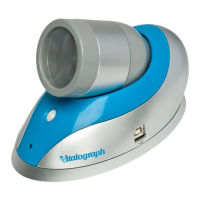
• Ensure that the Vitalograph device is attached
correctly.
Problem Fault Symptoms: • Accuracy check variations > +/- 3%
Possible Causes:
(In probable order)
• Recheck Calibration with reference to section
Checking Accuracy.
• Was the correct syringe volume entered?
• Ensure that the tubing connectors are clear of
obstruction or dirt and that they are inserted fully.
• Ensure the tubing is not kinked or squeezed.
• Ensure flow-head is clean.
Problem Fault Symptoms: • Test begins automatically
• Volume accumulates automatically without the
subject blowing
• Very small VC or FVC test displayed
Possible Causes:
(In probable order)
• Flowhead and/or tubing n
ot stationary at the start of
test. Hold them steady until the ‘Blow Now’ prompt
appears.
• Return to Main Menu and re-enter the test routine.
6.1 Software Check/Technical Support
Spirotrac provides a technical support menu function intended to provide information
to Vitalograph to help with customer support queries. The log files will be saved as a
single zip file.


 To Next Page
 Loading...