Vitalograph Spirotrac Instructions for Use
IFU Part No.: 07402
Issue 22
_______________________________________________________________________________________________________________
Page 14 of 78 DT_0006-15
f. Select OK to save or Cancel to undo.
6. To delete a population group:
a. Select Population Group from the list.
b. Select Delete.
c. Select Yes to delete or No to undo.
NOTE: If a Population Group is assigned to a subject, it cannot be deleted.
3.6 Device Downloads/Uploads
This provides the user with the ability to:
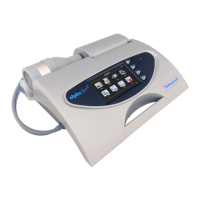
• Download subjects from Vitalograph In2itive/Alpha Touch/2120/2160.
• Upload subjects to Vitalograph In2itive/Alpha Touch/2120/2160.
• Download tests (parameters and curves) from Vitalograph In2itive/Alpha
Touch/2120/2160.
• Download calibration/accuracy check data from Vitalograph In2itive/ Alpha
Touch.
• Upload subject history to Vitalograph In2itive/ Alpha Touch.
Device Download/Upload Options are configurable. Select Tools > Options and click
Communications Icon. The following options are available:
In2itive/Alpha Touch
• Synchronisation Mode - When selected, synchronisation automatically occurs
on connecting the Vitalograph In2itive/Alpha Touch device.
• Copy Subjects and Tests - Both Subject and Test data is copied from the
In2itive/Alpha Touch device to Spirotrac and the original data remains stored on
the device.
• Move Tests - Test data is transferred from the In2itive/Alpha Touch device to
Spirotrac and the original test data is deleted from the device. This is the
default mode.
• Move Subjects and Tests - Subject and Test data is transferred from the
In2itive/Alpha Touch device to Spirotrac and both the original subject and test
data is deleted from the device.
2120/2160
• Detect COM Port button – Automatically detects the COM port that the
Vitalograph 2120/2160 device is connected to. Displays an error message if
device is not connected.
• Copy Subjects and Tests - Both Subject and Test data is copied from the
2120/2160 device to Spirotrac and the original data remains stored on the
device.
• Move Tests - Test data is transferred from the 2120/2160 device to Spirotrac
and the original test data is deleted from the device. This is the default mode.
• Move Subjects and Tests - Subject and Test data is transferred from the
2120/2160 device to Spirotrac and both the original subject and test data is
deleted from the device.
asma-1


 To Next Page
 Loading...