RD-101 Owner’s manual | 31
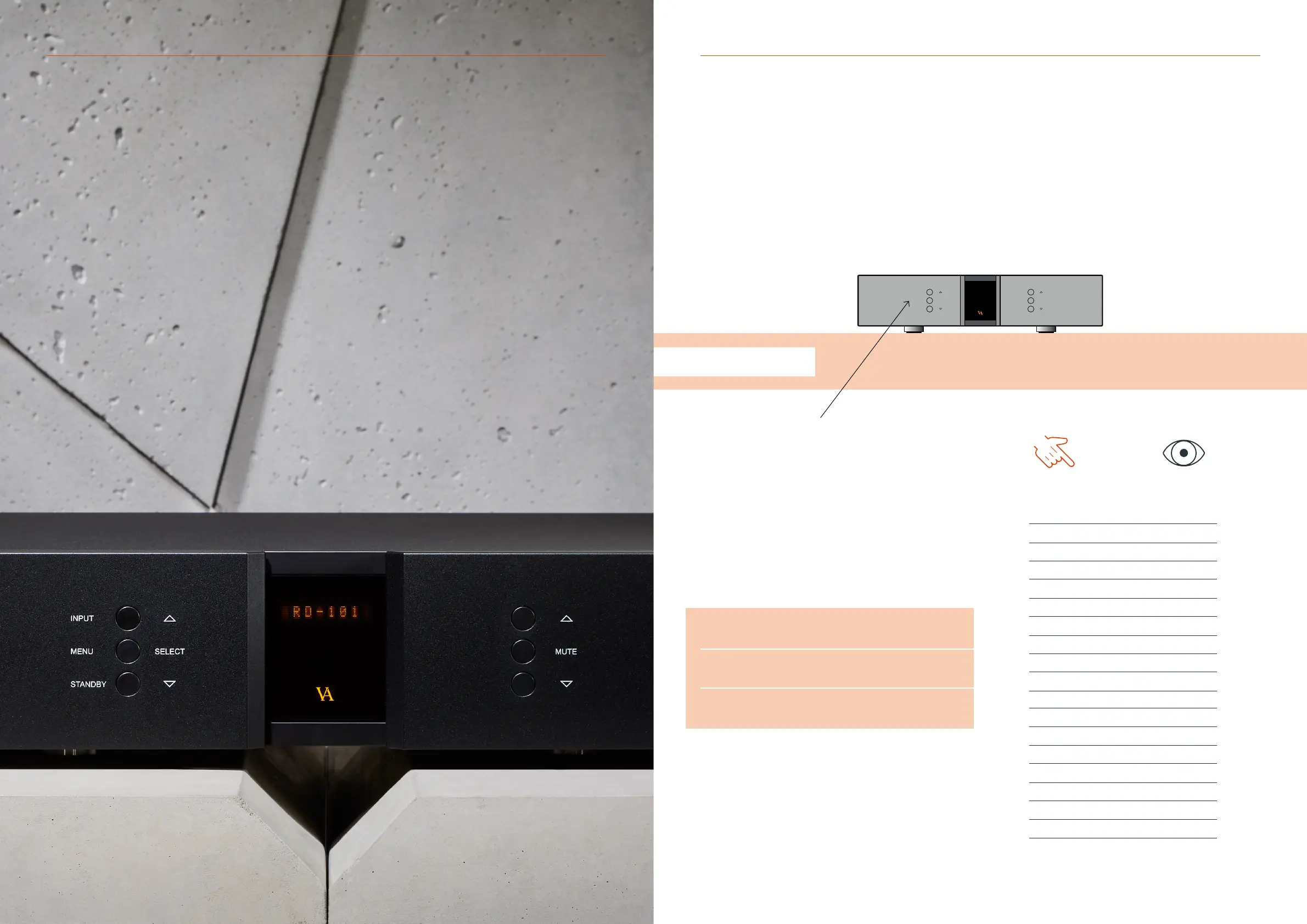
SELECT
INPUT
MENU
STANDBY
MUTE
7. EXAMPLES OF OPERATION
Changing offset volume for inputs
EXAMPLE 1
Changing oset volume for inputs
A specic volume oset on the RD-101 can be set on each individual
input, to accomodate for dierent output levels of dierent sources.
This can be used to reduce the dierence in output level, when
switching between inputs.
The oset value can be set from -12dB to +12dB.
Press the “MENU” button to enter menu mode.
Use the function buttons on the front of the unit to navigate to
SETUP - INPUTS and select the desired input.
1. r
Scroll forwards in the menu.
2. MENU/SELECT
Enter and exit submenus and select settings.
3. s
Scroll backwards in the menu.
Enter the OFFSET menu and navigate up or down in the oset steps
by utilising the function buttons until the desired oset is shown in
the display. Then press select and navigate to the exit menu point
and press select again.
The new oset setting has now been saved on the chosen input.
7. EXAMPLES OF OPERATION
YOU PRESS
MENU
SELECT
SELECT
SELECT
SELECT
SELECT
SELECT
YOU SEE
Line 1
< EXIT
SETUP >
< BACK
INPUTS >
< BACK
Streamer >
USB >
INPUT 2 >
< BACK
< EXIT
FIXED >
OFFSET >
0.0 dB
6.0 dB
OFFSET >
FIXED >
< EXIT
Line 1
30 | RD-101 Owner’s manual



 To Next Page