SELECT
INPUT
MENU
STANDBY
MUTE
SELECT
INPUT
MENU
STANDBY
MUTE
3. OPERATION3. OPERATION
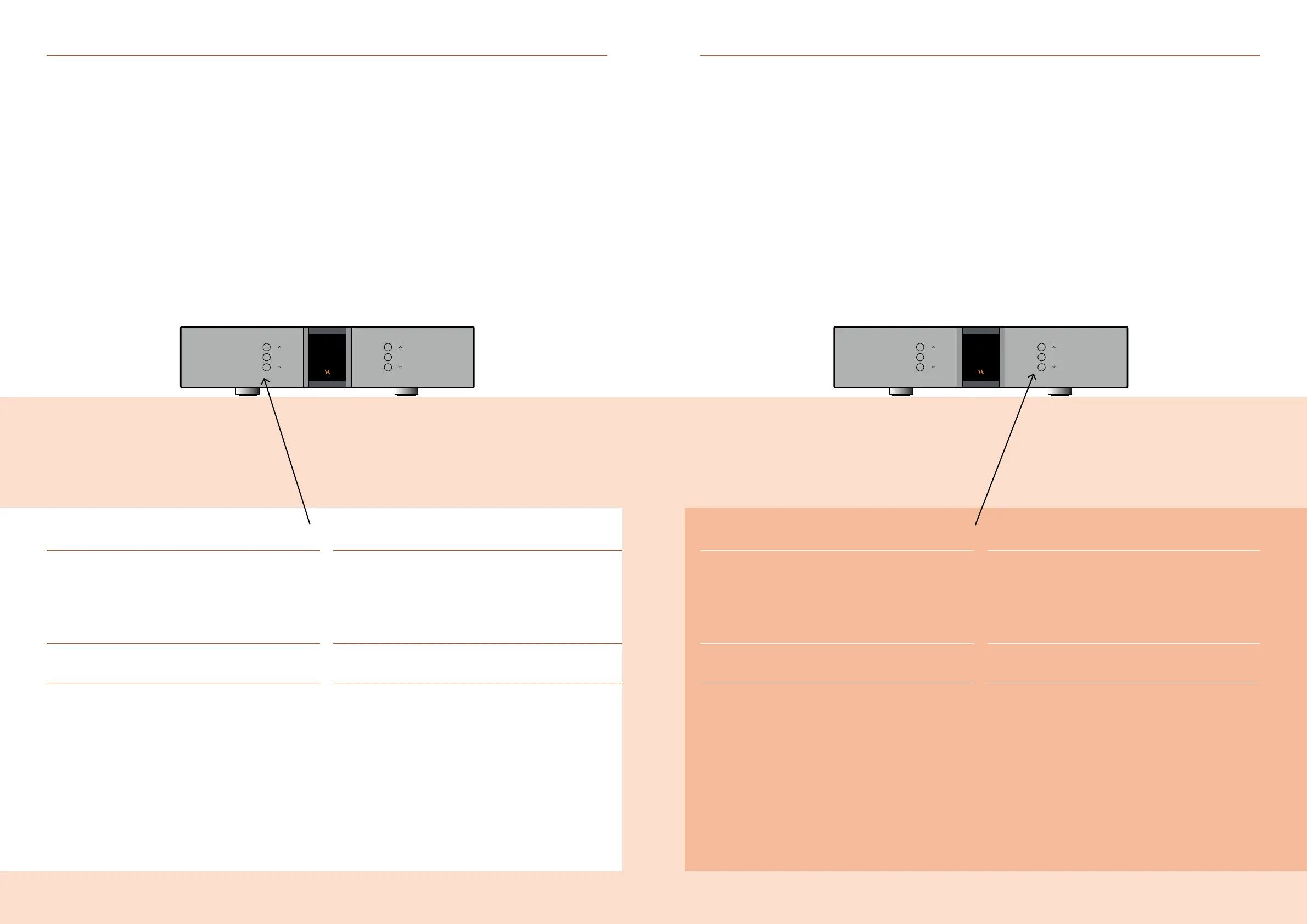
Functions – left front panel Functions – right front panel
Normal mode
In normal mode there are 3 basic functions/buttons available
on the left-hand side at the front of the unit.
1. INPUT
Selects between the 6 inputs.
2. MENU
Switches to “Menu mode”
3. STANDBY
Switches in and out of “Standby Mode”
Menu mode
You enter menu mode, by pushing the “MENU” button
once in Normal mode. In the Menu mode there are 3 basic
functions/buttons as follows:
1. r
Scroll forward in the menu
2. MENU/ SELECT
Enter and Exit submenus and select settings
3. s
Scroll backward in the menu
Normal mode
In normal mode there are 3 basic functions/buttons
available on the right-hand side at the front of the unit.
1. r
Turns volume up
2. MUTE
Mutes the output
3. s
Turns volume down
Menu mode
In the text-menu it is possible to change the name of the input.
This is done by using the following buttons:
1. r
Change selected character
2. MUTE
Go to the next character in the display
3. s
Change selected character
RD-101 Owner’s manual | 1716 | RD-101 Owner’s manual



 To Next Page