Vivint Element CT200 Operation Guide
Product Overview
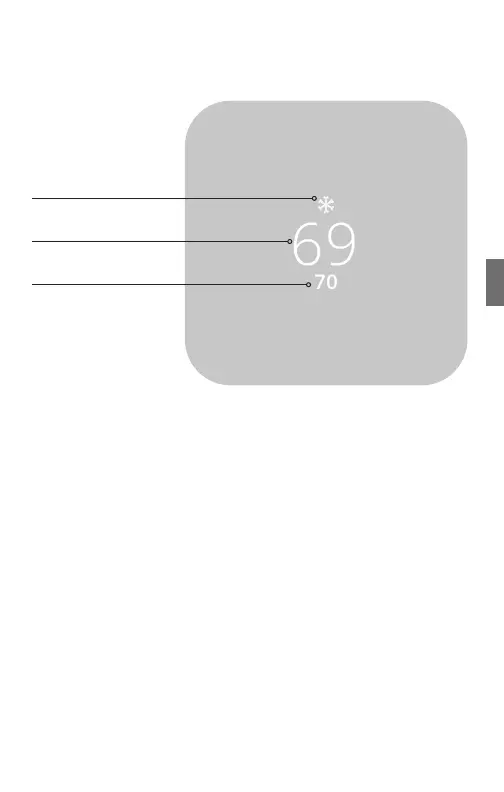
Home Screen
Mode
Target Temp
Room Temp
This is the default screen on the Thermostat. Anytime the unit wakes
from sleep (or senses you approaching, if the sensor is enabled),
the screen lights up and displays the system’s mode (top), the target
temperature (center), and the current room temperature (bottom).
When in Heat mode, the light bar at the bottom of the unit glows
red. When in Cool mode, it glows blue. When the unit is o, the light
bar does not glow. When the system is actively heating or cooling,
the colored glow ickers.
TIP: If your system is in a heating and cooling mode, press the SIDE
button once to see the other target temperature. Pressing SIDE
again opens the Menu screen.
• To see this screen, press and hold the SIDE button for one (1)
second; or wait 10 seconds for the device to sleep, then press any
button to wake it again. If you are in another menu, you can also
use the arrow at the top of the screen to go back until you get to
the Home screen.
• To temporarily change the target temperature, press up/down. The
system will meet the target temperature until the next program
period starts or you change the system mode.
33



 To Next Page