9
Charging the Battery
A rechargeable battery is included
with your camcorder.
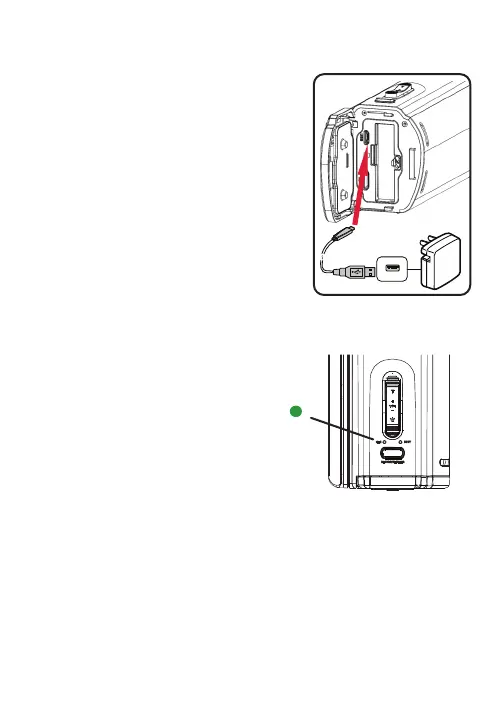
Open the battery cover and insert
battery into the battery slot. The
battery should slide securely in
place.
Plug the Micro USB Charging Cable
into the USB port. Then attach the
other end of the cable to a
computer or an AV adapter. Plug
the AV adapter to an electric outlet.
The charging light indicator will emit a green
light while device is charging.



 To Next Page