8
Opening and Closing the Battery Cover
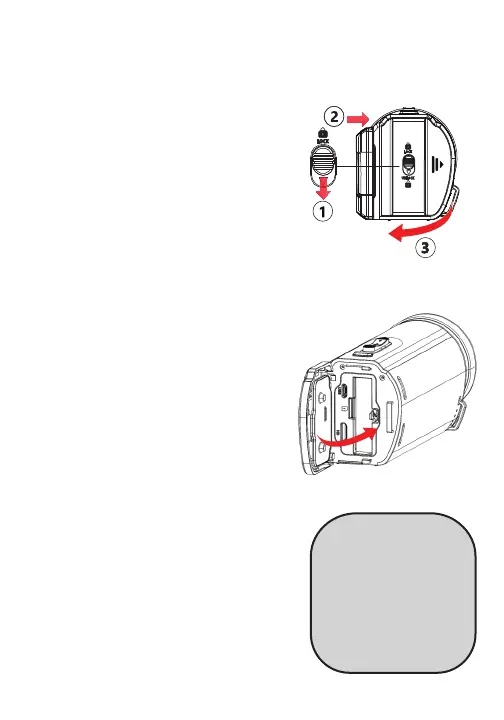
To Open the Battery Cover
1.Slide the cover lock downward
and hold.
2. While holding the cover lock
down, push the battery cover to the
right.
3. Lift the cover slowly.
To Close the Battery Cover
1. Flip down the battery cover.
2. Press the cover down while sliding
it to the left until it clicks into place.
Make sure the waterproof seal fits
around the edge of the cover.
NOTE: The cover lock automatically
goes to LOCK position when battery
cover is properly closed. If the
security lock is on UNLOCK position,
the cover is not properly closed.
CAUTION
Do not let water or debris
get inside the battery cover,
doing so will result in
damage to battery and
waterproof seal. Damages or
scratches to the waterproof
seal and battery cover will
compromise waterproofing
ability and result in leaks.



 To Next Page