12
After powering on your camcorder, press the Mode/OK button
on the side of your camcorder to switch between modes. Video
mode will be indicated by the features on the display screen.
Recording a Video
To record a video, press the Shutter button on your camcorder
to start recording a video. Press the Shutter button again to end
your video recording.
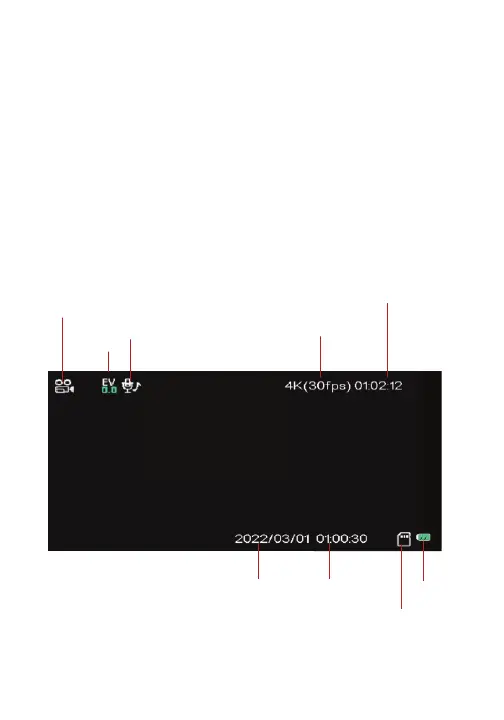
Default Video Recording Display Screen
Video Mode/Recording Videos
Video mode icon
EV
Audio
Resolution
Recording Time
Date
Time
Battery
Memory Card



 To Next Page