13
After powering on your camcorder, press the Mode/OK button
on the side of your camcorder to switch between modes. Photo
mode will be indicated by the features on the display screen.
Taking a Picture
To take a picture, press the Shutter button to focus and press
down all the way to take the picture.
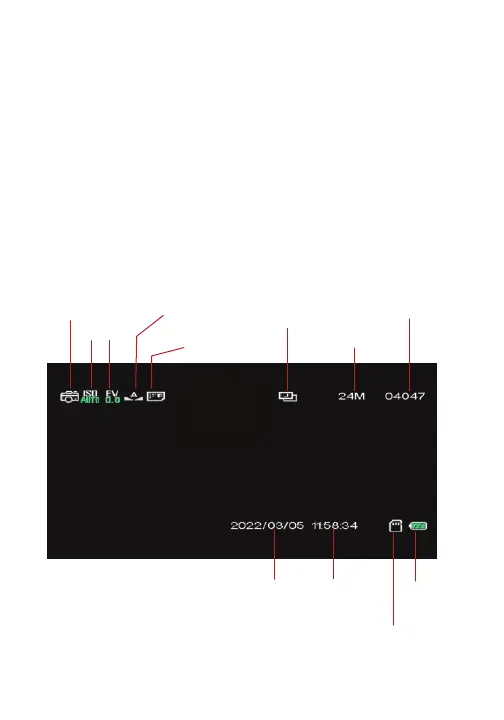
Default Photo Display Screen
Photo Mode/Taking Photos
Photo mode icon
EV
ISO
White
Balance
Quality
Time-lapse capture
Resolution
Photo Number
Date
Battery
Memory card
Time



 To Next Page