DLP Projector—User’s Manual
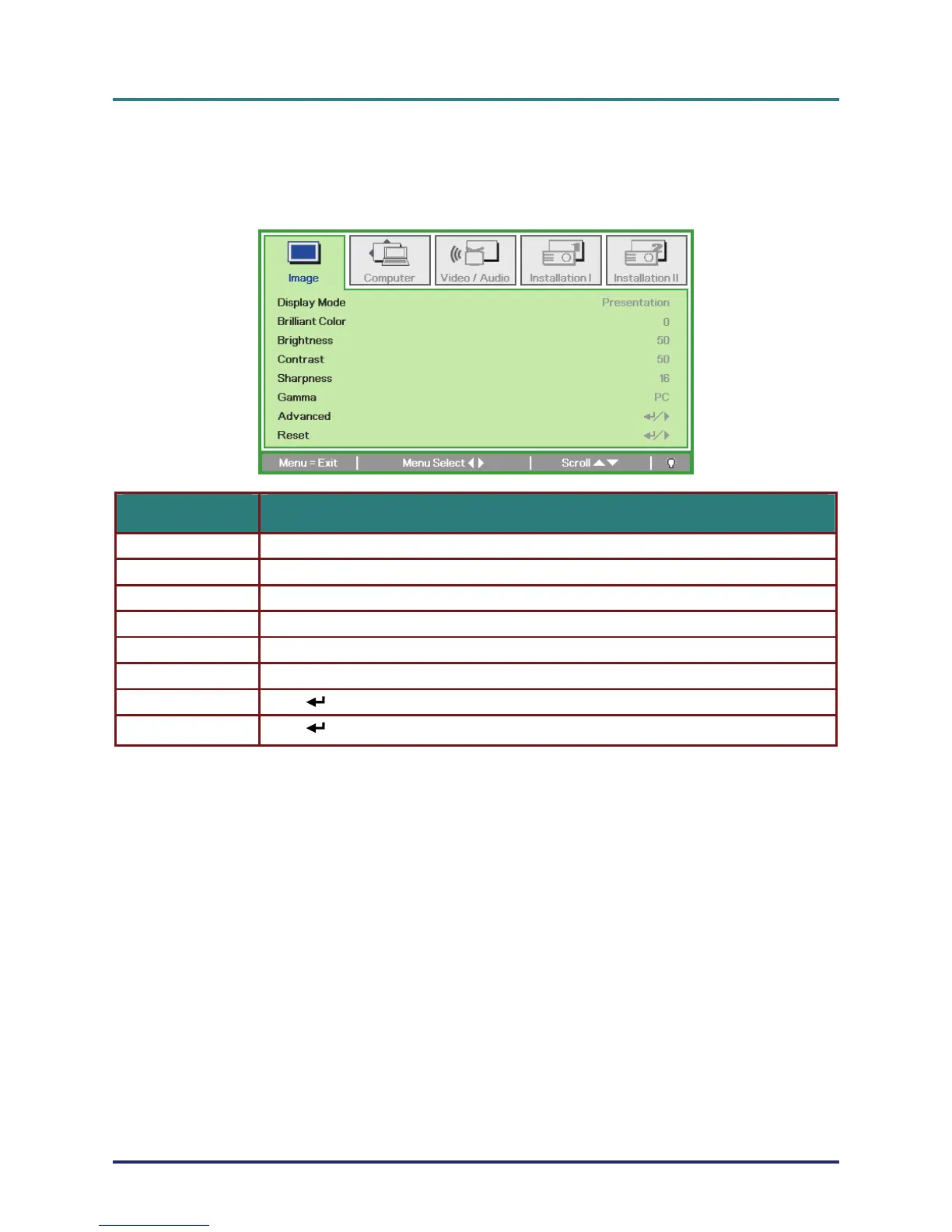
Image Menu
Press the Menu button to open the OSD menu. Press the cursor ◄► button to move to the Image
Menu. Press the cursor ▲▼ button to move up and down in the Image menu. Press ◄► to change
values for settings.
ITEM DESCRIPTION
Display Mode Press the cursor ◄► button to set the Display Mode.
Brilliant Color Press the cursor ◄► button to adjust the Brilliant Color value.
Brightness Press the cursor ◄► button to adjust the display brightness.
Contrast Press the cursor ◄► button to adjust the display contrast.
Sharpness Press the cursor ◄► button to adjust the display sharpness level.
Gamma Press the cursor ◄► button to adjust the gamma correction of the display.
– 22 –
Advanced Press (Enter) / ► to enter the Advanced menu. See Advanced Feature on page 23.
(Enter) / ► to reset all settings to default values. Press
Reset



 To Next Page