DLP Projector—User’s Manual
– 28 –
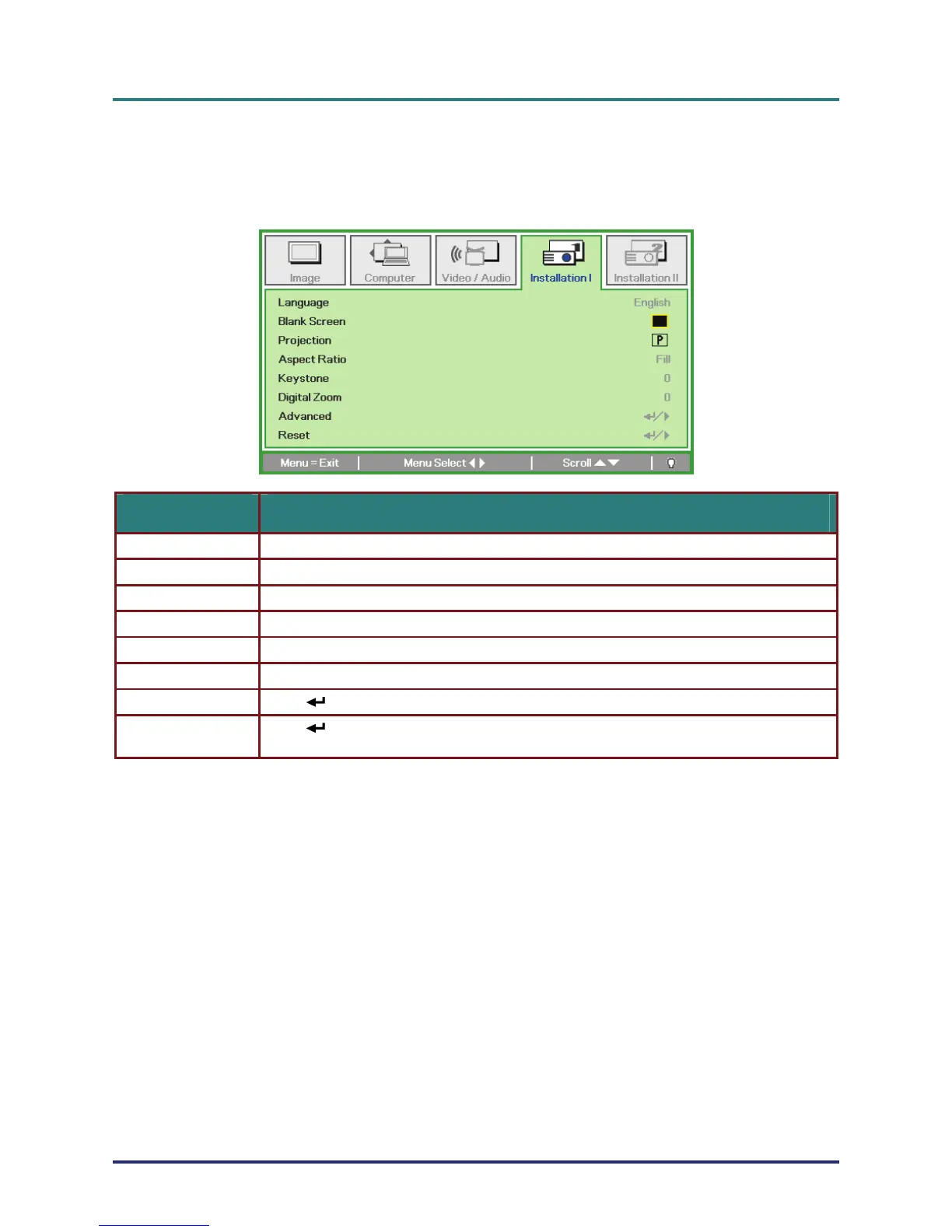
Installation I Menu
Press the Menu button to open the OSD menu. Press the cursor ◄► button to move to the Installa-
tion I menu. Press the cursor ▲▼ button to move up and down in the Installation I menu. Press
◄► to change values for settings.
ITEM DESCRIPTION
Language Press the cursor ◄► button to select a different localization Menu.
Blank Screen Press the cursor ◄► button to select different color to blank the screen.
Projection Press the cursor ◄► button to choose from four projection methods:
Aspect Ratio Press the cursor ◄► button to adjust the video aspect ratio.
Keystone Press the cursor ◄► button to adjust the display keystone.
Digital Zoom Press the cursor ◄► button to adjust the Digital Zoom menu.
Advanced Press (Enter) / ► to enter the Advanced menu. See Advanced on page 29.
Reset
Press
(Enter) / ► to reset all settings to default values
(expect Language and Security Lock).



 To Next Page