VIVOTEK
10 - User's Manual
1
2
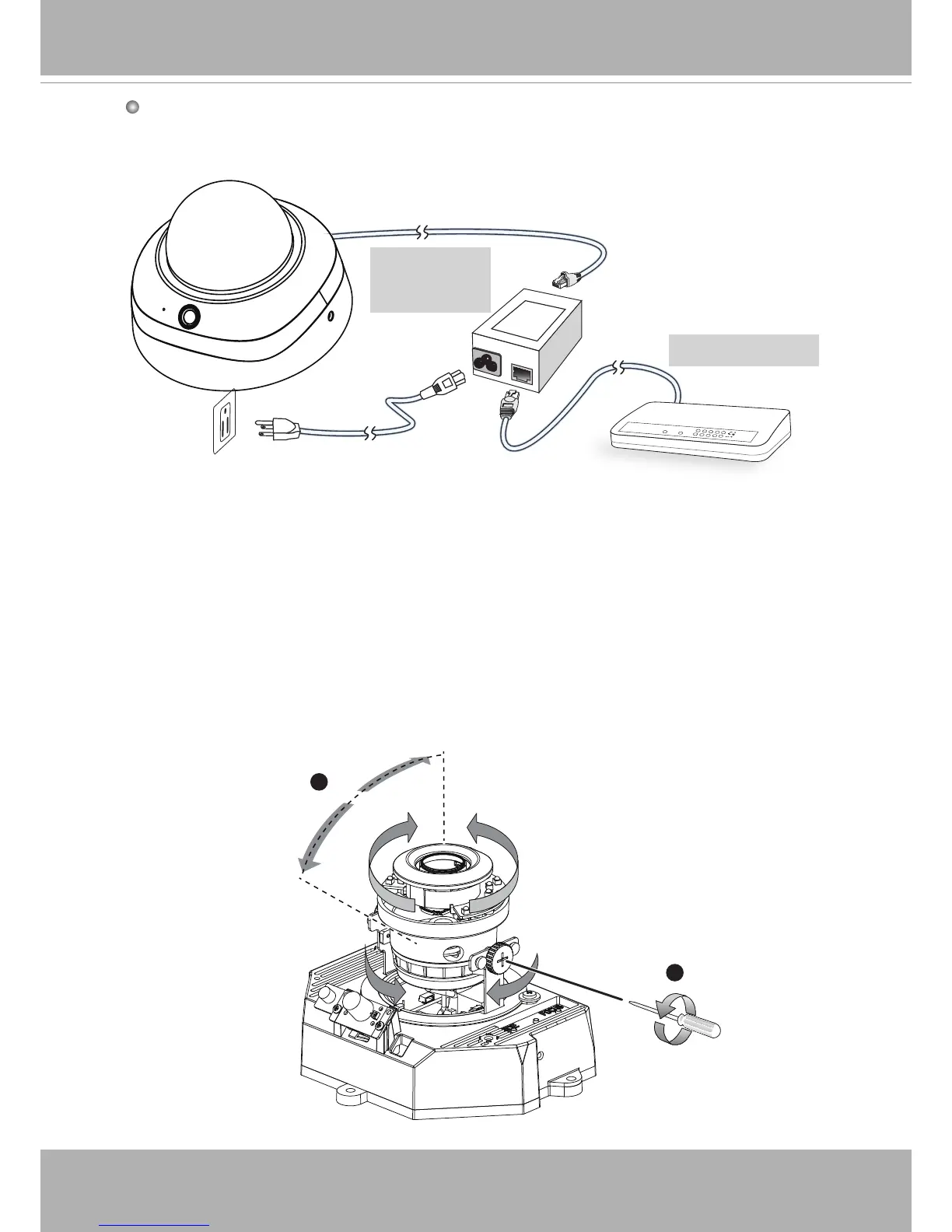
Tilt Adjustment Screws
Adjust the camera lens to the desired viewing angle:
1. Loosen the tilt adjustment screws on both sides
2. Turns the lens modules toward the direction you prefer.
3. Tighten the adjustment screws.
Pan 350°
Tilt: 65°
Rotate 350°
Adjusting the Lens
POWER
COLLISION
LINK
RECEIVE
PARTITION
1
2
3
4
5
When using a non-PoE switch
Use a PoE power injector (optional) to connect between the Network Camera and a
non-PoE switch.
PoE Power
Injector
(optional)
Non-PoE Switch



 To Next Page